


StarTech.com MST14DP122HD - DP to Dual HDMI MST HUB 4K 60Hz DP 1.4
You May Also Like
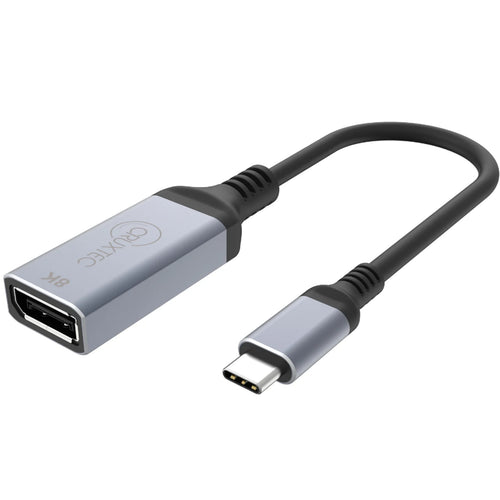
Cruxtec USB-C to Displayport 1.4 Adapter - ( 8K/60Hz & 4K/ 144Hz )
Features
Multi-tasking Made Easy
This DisplayPort to HDMI video splitter allows you to connect up to two additional displays in extended or mirror mode. Connecting two independent 4K 60Hz displays creates high-performance workstations for users in your organization, enabling easier multi-tasking, resulting in increased productivity.
4K at 60Hz and HDR
Native support for MST, on any Windows device, enables an easy set up. This MST Hub separates the single stream into two independent signals, one for each HDMI enabled display. Support for High Dynamic Range (HDR) offers increased contrast, brightness, colors, and greater luminosity.
Hassle-Free Setup
MST offers an easy setup, by natively working on any Windows device. Plug-and-play installation with no drivers or software required. A 12in (30cm) attached cable provides options for flexible installation configurations, reducing the amount of strain on ports and connectors. Additionally, this dual-monitor splitter is USB powered (USB Cable included).
- HIGH PERFORMANCE: DisplayPort to Dual HDMI MST Hub drives Dual 4K 60Hz displays using a single DisplayPort port | DP 1.4/DSC/HBR3/32.4Gbps/HDR/2.1ch Audio/MST| Windows Only | Not compatible with macOS
- PRODUCTIVITY: The 2 port DisplayPort 1.4 MST Hub adds dual extended or mirrored HDMI displays to your workstation in office, or at home, increasing your productivity | The DisplayPort to Dual HDMI 4K 60hz adapter is compatible with lower resolutions
- MULTIPLE MONITORS: This DisplayPort to HDMI adapter drives 2x 4K 60Hz or 2x 1080p 60Hz HDMI displays using a single DisplayPort port to increase your productivity on Windows PC's | Small Footprint ensure it easily fits into your existing setup
- CONVENIENCE: With a built-in 1ft (30cm) cable and latching DisplayPort connector, this USB powered MST display adapter connects easily to your computer/monitors | Driverless | 20inch (50cm) USB power cable included for easy connection to USB power source
- WIDE COMPATIBILITY: MST (Multi Stream Transport) Hub for desktops or graphics cards | Requires host system with DP 1.4/HBR3/MST or later | Works with HP, Dell, Lenovo and AMD, Nvidia & Intel video cards | Small Form Factor (mini / ITX) computers
Specifications
Technical Specifications
| Connector A | 1 - DisplayPort |
|---|---|
| Connector B | 2 - HDMI |
| Operating Temperature | 0°C to 40°C (32°F to 104°F) |
| Storage Temperature | -40°C to 70°C (-40°F to 158°F) |
| Humidity | 5% to 90 % RH (non-condensing) |
| Active or Passive Adapter | Active |
| AV Input | DisplayPort - 1.4 |
| Ports | 2 |
| AV Output | HDMI - 2.0 |
| Audio | Yes |
| Chipset ID | Synaptics VMM5200 |
| Package Height | 1.2 in [3.0 cm] |
| Package Length | 5.6 in [14.2 cm] |
| Shipping (Package) Weight | 4.7 oz [133.0 g] |
| Package Width | 6.7 in [17.0 cm] |
| Package Quantity | 1 |
| Video Revision | DisplayPort 1.4HDMI 2.0 |
| Maximum Cable Distance To Display | 6.6 ft [2 m] |
| Audio Specifications | HDMI - 2 Channel Audio |
| Maximum Cable Length | 9.8 ft [3 m] |
| Supported Resolutions | HDMI: 3840x2160 (4K) / 60Hz |
| Wide Screen Supported | Yes |
| Color | Gray |
| Product Height | 0.6 in [1.4 cm] |
| Product Length | 14.2 in [36.0 cm] |
| Weight of Product | 2.1 oz [60.0 g] |
| Product Width | 2.0 in [5.0 cm] |
| Material | Plastic |
| Cable Length | 11.8 in [300 mm] |
| Power Source | USB-Powered |
| OS Compatibility | Windows 10, 11 |
| Brand | StarTech.com |
|---|---|
| Product Type | PC Peripherals > Adapters |
| Weight | 0.059 kg |
| Warranty |
|---|
Note:
Warranty period is as stated above unless the manufacturer has chosen to specify a longer period.
All warranties are return to base unless otherwise specified.
Shipping Information
- Free NZ-wide shipping on orders over $299
- Standard delivery 2–5 business days
- Rural delivery may take an additional 1–2 days
- Same-day dispatch for orders placed before 2pm (weekdays)
Returns Policy
- 7-day returns on unused items in original packaging
- Faulty or damaged products covered under warranty
- Contact our support team to initiate a return