

TP-Link Deco M4 AC1200 (2-Pack) Mesh Wi-Fi System
You May Also Like

TP-Link TP LINK Deco X50-POE AX3000 Whole Home Mesh WiFi 6 System with PoE - 2-Pack
TP-Link TP LINK Deco X50-POE AX3000 Whole Home Mesh WiFi 6 System with PoE - 2-Pack
TP-Link TP LINK Deco X50-POE AX3000 Whole Home Mesh WiFi 6 System with PoE - 2-Pack
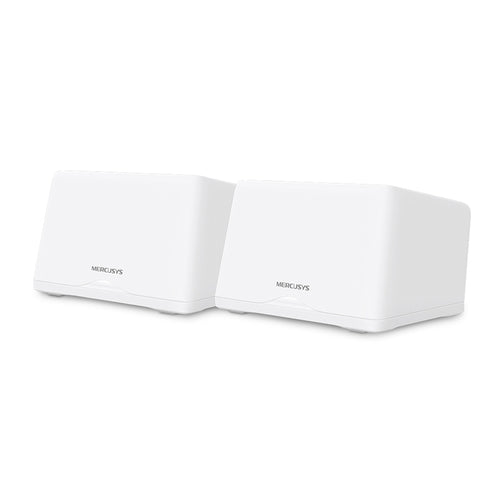
H47BE-2 - Mercusys Halo H47BE (2-pack) BE9300 Whole Home Mesh Wi-Fi 7 System

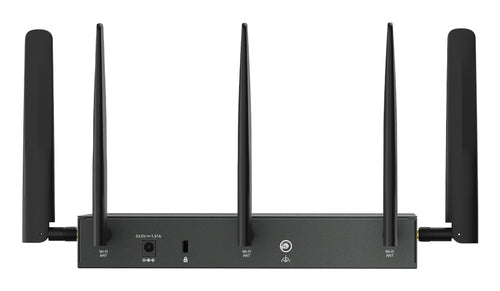
ER706WP-4G - TP-Link ER706WP-4G Omada 4G AX3000 VPN Router PoE
Features
Fast. Stable. Everywhere.
Whole Home Mesh Wi-Fi System - AC1200 Dual-Band Wi-Fi

Experience Wi-Fi Like Never Before
Deco M4 uses TP-Link Mesh technology to cover your entire home in powerful Wi-Fi. Multiple units seamlessly work together to create a home network like nothing you've ever experienced.

Wi-Fi Dead-Zone Killer
Deco M4 is the simplest way to guarantee a strong Wi-Fi signal in every corner of your home up to 260 square metres (2-pack). Wireless connections and optional Ethernet backhaul work together to link Deco units, providing even faster network speeds and truly seamless coverage.
Want more coverage? Simply add another Deco.

Seamless Roaming with One Wi-Fi Name
TP-Link Mesh means Deco units work together to form one unified network. Your phone or tablet automatically connects to the fastest Deco as you move through your home, creating a truly seamless Wi-Fi experience.

No More Buffering
Network speeds three times faster than previous generation routers, thanks to 802.11ac wireless technology, make Deco capable of providing a lag-free connection to up to 100 devices.

*Testing of multiple applications conducted by TP-Link in December 2018.
Multiple 3-in-1 Router, Access Point and Range Extender Modes
Flexible and multifunctional, the Deco M4 includes a variety of features allowing it to serve as a router, access point or range extender. Just choose the mode for your actual network demands and experience the maximum wireless flexibility.

Wi-Fi Made Easy - App-Based Setup
Installing Deco M4 is fast and easy. Just unpack the system, download the Deco app and follow its onscreen directions.
Easy Management
Manage your Wi-Fi at home or away in the Deco app, including seeing the connected devices, prioritizing your devices, setting up a guest network and more.
Voice Control
Pair with Alexa to control Deco M4 with simple voice commands. Enjoy the convenient life.
Robust Parental Controls
Simple, intuitive parental controls make it easy to keep your children safe while they're online.
- User Profiles
- Filter Levels
- Time Limits
- Insights
- Suspend Connectivity

All Decos Work Together
Deco M4 is compatible with every other Deco model to form a Mesh network. Expand Mesh Wi-Fi coverage anytime by simply adding more Decos.

Specifications
Technical Specifications
| AC adapter input | 100-240V ~ 50/60Hz 0.4A |
|---|---|
| AC adapter output | 12V, 1.2A |
| Processor | Qualcomm CPU |
| Interface | 2 Gigabit Ethernet Ports (WAN/LAN auto-sensing) per Deco unit |
| Button | 1 Reset button on the underside |
| External Power Supply | 12 V/1.2 A |
| Dimensions | F3.6 in. x 7.5 in. (F90.7 mm x 190 mm) |
| Antenna Type | 2 internal dual-band antennas per Deco unit |
| Wireless Standards | IEEE 802.11 ac/n/a 5 GHz, IEEE 802.11 b/g/n 2.4 GHz |
| Frequency | 2.4 GHz and 5 GHz |
| Signal Rate | 300 Mbps on 2.4 GHz867 Mbps on 5 GHz |
| Transmit Power | FCC: <30 dBmCE: <20 dBm (2.4 GHz)<23 dBm (5 GHz) |
| Wireless Security | WPA-PSK/WPA2-PSK |
| Advanced Functions | Router/ Access Point ModeOptional Ethernet BackhaulGuest networkTP-Link Mesh Technology:MU-MIMOAuto Path SelectionSelf-HealingAP SteeringBand SteeringBeamforming |
| Quality of Service | WMM |
| IPv6 | Support |
| WAN Type | Dynamic IP/Static IP/PPPoE/L2TP/PPTP |
| Management | Local Management, Remote Management |
| DHCP | Server, Client |
| Port Forwarding | Support |
| Access Control | Blacklist |
| Firewall Security | SPI Firewall |
| Protocols Supports | IPv4 and IPv6 |
| Advanced Features | Parental ControlsQuality of Service |
| Advanced Functions | Monthly ReportsAuto FW UpdateExpand Wi-Fi by adding more Deco units |
| Guest Network | 2.4 GHz guest network x 15 GHz guest network x 1 |
| Beamforming | Support |
| APP | Easy setup via Deco App |
| Certification | CE, FCC, IC, NCC, BSMI, IDA, RCM, JPA, JRF, VCCI, KC, RoHS |
| Package Contents | Deco M4 (2-pack):2 Deco units1 RJ45 Ethernet Cable2 power adapters1 quick installation guide |
| Smartphone/Tablet Requirements | iOS 9.0 or laterAndroid 4.3 or later |
| Environment | Operating Temperature: 0~40C (32~104F)Storage Temperature: -40~70C (-40~158F)Operating Humidity: 10%~90% non-condensingStorage Humidity: 5%~90% non-condensing |
| Brand | TP-Link |
|---|---|
| Product Type | Networking > Routers |
| Weight | 1.576 kg |
| Warranty |
|---|
Note:
Warranty period is as stated above unless the manufacturer has chosen to specify a longer period.
All warranties are return to base unless otherwise specified.
Shipping Information
- Free NZ-wide shipping on orders over $299
- Standard delivery 2–5 business days
- Rural delivery may take an additional 1–2 days
- Same-day dispatch for orders placed before 2pm (weekdays)
Returns Policy
- 7-day returns on unused items in original packaging
- Faulty or damaged products covered under warranty
- Contact our support team to initiate a return