CP-FP-00000184 - DJI Neo CP-FP-00000184
CP-FP-00000184 - DJI Neo CP-FP-00000184
Features

A Palm-Sized Drone for Vlogs - DJI NEO - Rise and Shine
At 135 g, [1] DJI Neo is DJI's lightest and most compact drone to date. [2] Take off and land on your palm effortlessly without a remote controller, and capture cinematic footage with YOU in focus. Soar through breathtaking scenery, indoors and out, and be sure to include everybody in a group photo. Enjoy a fresh perspective on everyday life with DJI Neo.

From Your Hand to the Sky-Palm Takeoff [3]
DJI Neo gracefully takes off and lands from your palm. Simply press the mode button on Neo, select your desired shooting mode, and Neo automatically does the rest to capture impressive footage, all without a remote controller!

Take Center Stage With AI Subject Tracking
Whether cycling, skateboarding, or hiking, Neo keeps pace as your personal videographer and ensures you are always in the spotlight. Equipped with AI algorithms, Neo can follow the subject within frame, so you can set up captivating follow shots with ease.

Spark Creativity With QuickShots
With just a press of your finger, let DJI Neo automatically film for you. DJI Neo offers six intelligent shooting modes, [5] providing dynamic angles to elevate your creative footage.
- Dronie
- Circle
- Rocket
- Spotlight
- Helix
- Boomerang

Multiple Control Methods
Compact yet capable, DJI Neo flies with style. It not only supports controller-free aerial filming but can also be paired with the DJI Fly app, remote controllers, RC Motion, DJI Goggles, and more for increased flight and camera control.

Voice Control [6][7]
"Hey Fly" - Wake the DJI Fly app with these words to enable voice control and pilot DJI Neo with spoken flight directives.

Mobile App Control [6]
DJI Neo supports Wi-Fi connection to smartphones, eliminating the need for an additional remote controller. Control Neo using virtual joysticks on the DJI Fly app interface, with a control range of up to 50 meters. [8] The app also allows you to set the tracking angle and distance, giving you the freedom to shoot from afar or up close as you please.

RC Control [9]
When paired with the DJI RC-N3, DJI Neo can achieve a maximum video transmission distance of 10 kilometers. [10] Flexibly operate the camera using traditional RC control sticks when you need to capture professional-level shots.

Immersive Motion Control [9]
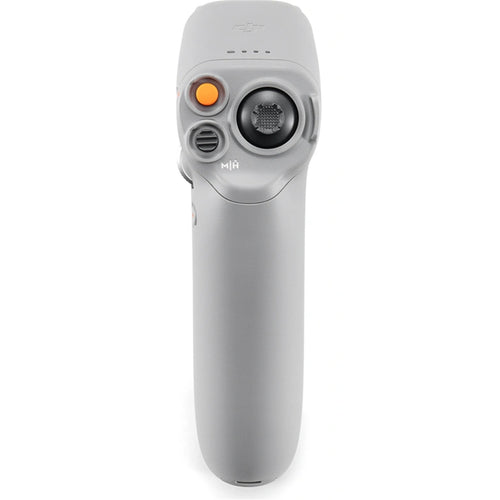
DJI Neo can be paired with DJI Goggles 3 along with either an RC Motion 3 or FPV Remote Controller 3, with a video transmission distance of up to 10 kilometers. [10] When used with RC Motion 3, DJI Neo masters the art of one-press aerobatics, seamless indoor navigation; deftly maneuvering through tight spaces* with ease. The palm-sized DJI Neo is flexible and agile in the air, making it the perfect companion for honing your skills in Manual mode.

Uncompromised Image Quality
DJI Neo sports a 1/2-inch image sensor for snapping 12MP stills. Combined with DJI's powerful stabilization algorithms, it can produce 4K UHD stabilized videos straight out of the camera. [11]
- 12 MP Effective Pixels
- 4K/30fps Video Specification

4K Ultra HD Video
DJI Neo supports multiple resolutions and frame rates for video recording and up to 4K/30fps [11] RockSteady/HorizonBalancing videos that maintain clarity in both highlight and shadow areas, ensuring rich detail is visible.

Stabilization Features for Steady Imagery
DJI Neo's single-axis mechanical gimbal, combined with RockSteady and HorizonBalancing stabilization, [12] can handle high-speed or large-amplitude flight, and up to Level-4 wind conditions. The stabilization algorithms significantly reduce overall image shakes and correct horizon tilt within ±45° [12] for smooth and stable footage.

Content Create With Ease
22GB Internal Storage
DJI Neo can hold up to 40 minutes of 4K/30fps video or 55 minutes of 1080p/60fps video, allowing you to keep all your memories stored.
- 40 minutes 4K/30fps Video
- 55 minutes 1080p/60fps Video

Record Sound Wirelessly
After linking with the DJI Fly app, DJI Neo can record audio with DJI Mic 2, [13] when it is Bluetooth connected to your mobile phone, or directly through the phone's built-in microphone. The DJI Fly app can also automatically eliminate propeller noise and merge your audio track with your footage to ensure clear sound even when shooting low-altitude vlogs.

High-Speed QuickTransfer
Forgot your data cable? No worries! After connecting to your phone via Wi-Fi, the footage filmed by DJI Neo can be quickly transferred to the DJI Fly app. Transfer instantly after filming, making post-production and sharing smoother.

One-Tap Glamour
Ensure you always look your best and shine with confidence by adding Glamour Effects. Just import footage into the DJI Fly app to get started.

Editing Made Easy
The DJI Fly app offers a vast selection of templates and sound effects for quick and easy editing.

Stable Flight, Impressive Battery Life
Using an infrared and monocular vision positioning system, DJI Neo can hover steadily in the air, maintaining stability even in wind conditions up to Level 4. It also supports automatic Return to Home (RTH) for convenient, worry-free operation.
Return to Home (RTH)
Don't worry about returning home; when using palm takeoff or mobile app control, Neo will return to the takeoff point after completing its course. When using a remote controller or immersive motion control, Neo supports Return to Home (RTH) and Failsafe RTH, for effortless navigation back to you.

Level-4 Wind Resistance

18-Min Flight Time
With 18 minutes of flight time, [14] DJI Neo can perform over 20 excursions [15] to and from your palm in succession, documenting life's little moments with its sleek design that doesn't skimp on flight duration.

Direct Charging, Quick Power Replenishment
Connect the aircraft directly to a power source using a Type-C data cable for convenient charging. DJI Neo's Two-Way Charging Hub [16] can charge three batteries simultaneously, [17] increasing both charging speed and efficiency.

A Must-Have App for DJI Users - DJI Store App
- Get official products at launch, tracking your package whenever you want.
- Manage your devices conveniently, checking your warranty and Care anytime.
- Try Virtual Flight here, experiencing the thrill of flying today.

* DJI Neo does not support obstacle avoidance. To ensure flight safety, fly within a visual line of sight. To fly beyond visual line of sight (BVLOS), ensure that the aircraft is in good condition, the user is qualified, and the flight is compliant with local regulations for BVLOS.
** All data on this page was measured using a production model of DJI Neo in a controlled environment. Actual experience and data may vary depending on the environment, usage, and firmware version.
*** All videos and images on this page were shot using DJI Neo by professionals in strict compliance with local laws and regulations and have been variously edited in post-production. All videos and images are for reference only. Actual results may vary. Always observe local laws and regulations and ensure the aircraft has obtained relevant certifications and airspace authorizations before flying.
**** All images, videos, and screen display contents about the product itself on this page are for reference only. Actual product effects (including but not limited to appearance, color, and size) and screen display contents (including but not limited to backgrounds, UI, and illustrations) may vary.
1. Product weight may vary due to differences in batch materials and other factors. Refer to the actual product.
2. As of September 2024.
3. When using palm takeoff and landing, adhere to the following guidelines: operate in a windless environment as much as possible; extend your palm horizontally and keep it still, avoiding finger contact with the propellers to prevent injury; do not attempt to grab the drone while it is flying.
4. Certain control methods require the use of DJI Goggles series products, DJI RC Motion series products, or certain DJI remote controllers.
5. Some shooting modes require connecting DJI Neo to a smartphone via Wi-Fi and enabling them in the DJI Fly app.
6. Requires connecting DJI Neo to a smartphone via Wi-Fi.
7. DJI Neo supports voice control in English and Mandarin only. The specific language used depends on the connected phone's system language (English or Chinese).
8. Tested in an outdoor open environment free of interference. The video transmission distance varies by operating environment.
9. Requires purchase of a specific combo or a separate purchase of a specific remote controller and goggles.
10. The 10km video transmission distance can only be achieved with FCC compliance. The data was measured in an unobstructed outdoor environment free of interference and showed the farthest communication range for one-way, non-return flights. The maximum video transmission distance in the actual flight scenarios is limited by the drone's maximum flight distance. Refer to the actual use.
11. 4K/30fps video recording is available under all control methods of DJI Neo. Except for motion control, 4K/30fps videos with HorizonBalancing are supported in all other control methods. When DJI Neo is paired with DJI Goggles 3 and DJI RC Motion 3, it can record 16:9 4K/30fps videos with RockSteady/HorizonBalancing or record 4:3 4K/30fps videos with no stabilization.
12. When controlling Neo with your palm, with the DJI Fly app or with a standard remote controller, only HorizonBalancing is supported and cannot be turned off. When controlling with DJI Goggles plus RC Motion or the FPV Remote Controller, you can choose to enable RockSteady, HorizonBalancing, or turn off stabilization. When controlling the drone without a remote controller or with the DJI Fly app, the HorizonBalancing angle is ±30°. When controlling the drone with a remote controller or using motion control, the HorizonBalancing angle is ±45°.
13. Sold separately. For details on compatible phone models of DJI Mic 2, please refer to the DJI Mic 2 product page on the official DJI website.
14. Measured in a controlled test environment. Specific test conditions are as follows: flying forward at a constant speed of 2 m/s in a windless laboratory environment at 20 meters above sea level, in photo mode (without photo-taking operation during flight), and from 100% battery level until 0%. Results may vary depending on the environment, actual use, and firmware version.
15. Measured after DJI Neo is activated, with a fully charged battery and default settings, and using Circle, Rocket, and Dronie modes, and is for reference only.
16. Available for separate purchase or with the purchase of the DJI Neo Fly More Combo.
17. The number of batteries that can be charged simultaneously depends on the power of the charger used. Using a charger of more than 45 W allows for charging three batteries at once while using a charger of less than 45 W can only charge two batteries simultaneously. Refer to the charging protocols supported by the charger.
18. Sold separately.
DJI Warranty Information
Manufacturer's warranty for DJI products may vary depending on the part under question, batteries have 3-6 months manufacturer's warranty while the remote control might have 12 months manufacturer's warranty. More information can be found on the DJI website.
Specifications
Technical Specifications
| In the Box | DJI Neo x 1Intelligent Flight Battery x 1Propeller Guard (Pair) x 1Spare Propellers (Pair) x 1Gimbal Protector x 1Type-C to Type-C PD Cable x 1Screwdriver x 1Spare Propeller Screw x 4 |
|---|---|
| Takeoff Weight | Approx. 135 g |
| Dimensions | 130x157x48.5 mm (LxWxH) |
| Max Ascent Speed | 0.5 m/s (Cine mode)2 m/s (Normal mode)3 m/s (Sport mode) |
| Max Descent Speed | 0.5 m/s (Cine mode)2 m/s (Normal mode)2 m/s (Sport mode) |
| Max Horizontal Speed (near sea level, no wind) | 6 m/s (Normal mode)8 m/s (Sport mode)16 m/s (Manual mode) |
| Max Takeoff Altitude | 2000 mMeasured in a windless environment when taking off from an altitude of 2000 m and ascending vertically by 120 m, using Sport mode, and from 100% battery level until 20%. Data is for reference only. Always pay attention to reminders on the camera view during your flight. |
| Max Flight Time | Approx. 18 mins (approx. 17 mins with the Propeller Guards)*Each battery allows the drone to perform at least 20 palm takeoff and landing for shoots in succession*** Measured when flying forward at a speed of 2 m/s in a windless environment 20 m above sea level, with camera parameters set to 1080p/30fps, video mode off, and from 100% battery level until 0%. Results may vary depending on the environment, actual use, and firmware version.** Measured after DJI Neo is activated, with a fully charged battery and default settings, and using Circle, Rocket, and Dronie modes, and is for reference only. |
| Max Hovering Time | Approx. 18 mins (approx. 17 mins with the Propeller Guards)Measured when hovering in a windless environment 20 m above sea level, with camera parameters set to 1080p/30fps, video mode off, and from 100% battery level until 0%. Results may vary depending on the environment, actual use, and firmware version. |
| Max Flight Distance | 7 kmMeasured when flying forward at a speed of 8 m/s in a windless environment 20 m above sea level, with camera parameters set to 1080p/30fps, video mode off, and from 100% battery level until 0%. Results may vary depending on the environment, actual use, and firmware version. |
| Max Wind Speed Resistance | 8 m/s (Level 4) |
| Operating Temperature | -10° to 40° C (14° to 104° F) |
| Global Navigation Satellite System | GPS + Galileo + BeiDou |
| Hovering Accuracy Range | Vertical:±0.1 m (with vision positioning)±0.5 m (with GNSS positioning)Horizontal:±0.3 m (with vision positioning)±1.5 m (with GNSS positioning) |
| Internal Storage | 22 GB |
| Class | C0 (EU) |
| Image Sensor | 1/2-inch image sensor |
| Lens | FOV: 117.6°Format Equivalent: 14 mmAperture: f/2.8Focus: 0.6 m to 8 |
| ISO Range | 100-6400 (Auto)100-6400 (Manual) |
| Shutter Speed | Video: 1/8000-1/30 sPhoto: 1/8000-1/10 s |
| Max Image Size | 12 MP Photo4000x3000 (4:3)4000x2256 (16:9) |
| Still Photography Modes | Single/Timed Shot |
| Photo Format | JPEG |
| Video Resolution | EIS Off:4K (4:3): 3840x2880 @ 30fps1080p (4:3): 1440x1080 @ 60/50/30fpsEIS On:4K (16:9): 3840x2160 @ 30fps1080p (16:9): 1920x1080 @ 60/50/30fps |
| Video Format | MP4 |
| Max Video Bitrate | 75Mbps |
| Supported File System | exFAT |
| Color Mode | Normal |
| EIS | Supports RockSteady, HorizonBalancing, and turning stabilization off.** When using a 16:9 aspect ratio, only RockSteady or HorizonBalancing can be enabled. Stabilization is not available in 4:3 aspect ratio. When stabilization is turned off, footage captured supports offline stabilization with Gyroflow. |
| Stabilization | Single-axis mechanical gimbal (tilt) |
| Mechanical Range | Tilt: -120° to 120° |
| Controllable Range | Tilt: -90° to 60° |
| Max Control Speed (tilt) | 100°/s |
| Angular Vibration Range | ±0.01° |
| Image Roll Correction | Supports correction of footage recorded on the droneLive view correction is unavailable only when using with goggles |
| Sensing Type | Downward visual positioning |
| Downward | Precise Hovering Range: 0.5-10 m |
| Operating Environment | Downward:Non-reflective, discernible surfaces with diffuse reflectivity of >20% (such as walls, trees, or people)Adequate lighting (lux > 15, normal indoor lighting conditions) |
| Video Transmission System | O4 |
| Live View Quality | With DJI RC-N3 Remote Controller: Up to 1080p/60fpsWith DJI Goggles 3 plus DJI RC Motion 3/DJI FPV Remote Controller 3: Up to 1080p/60fps |
| Operating Frequency | 2.400-2.4835 GHz5.170-5.250 GHz5.725-5.850 GHzOperating frequency allowed varies among countries and regions. Please refer to local laws and regulations for more information. |
| Transmitter Power (EIRP) | 2.4 GHz:<26 dBm (FCC)< 20 dBm (CE/SRRC/MIC)5.1 GHz:< 23 dBm (CE)5.8 GHz:<26 dBm (FCC)< 14 dBm (CE)< 26 dBm (SRRC) |
| Communication Bandwidth | Max 40 MHz |
| Max Transmission Distance (unobstructed, free of interference) | FCC: 10 kmCE: 6 kmSRRC: 6 kmMIC: 6 kmThe data was measured in an unobstructed outdoor environment free of interference and showed the farthest communication range for one-way, non-return flights under each standard. The maximum video transmission distance in the actual flight scenarios is limited by the drone's maximum flight distance. Always pay attention to RTH reminders on the live view during your flight. |
| Max Transmission Distance (unobstructed, with interference) | Strong Interference (urban landscape): Approx. 1.5-3 kmMedium Interference (suburban landscape): Approx. 3-6 kmLow Interference (suburb/seaside): Approx. 6-10 kmData tested under FCC standard in unobstructed environments with typical interference. Used for reference purposes only and provides no guarantee for actual flight distance. |
| Max Transmission Distance (obstructed, with interference) | Low Interference and Obstructed by Buildings: Approx. 0-0.5 kmLow Interference and Obstructed by Trees: approx. 0.5-3 kmData tested under FCC standard in environments with typical low interference. Used for reference purposes only and provides no guarantee for actual transmission distance. |
| Max Download Speed | Wi-Fi: 25 MB/sMeasured in a laboratory environment with little interference in countries/regions that support both 2.4 GHz and 5.8 GHz. Download speeds may vary depending on the actual conditions. |
| Lowest Latency | With DJI RC-N3 Remote Controller: Approx. 120 msDepending on the actual environment and mobile device. |
| Max Video Bitrate | 50Mbps |
| Antennas | Two antennas, 1T2R |
| Protocol | 802.11a/b/g/n/ac |
| Operating Frequency | 2.400-2.4835 GHz5.725-5.850 GHzOperating frequency allowed varies among countries and regions. Please refer to local laws and regulations for more information. |
| Transmitter Power (EIRP) | 2.4 GHz:< 20 dBm (FCC/CE/SRRC/MIC)5.8 GHz:<20 dBm (FCC/SRRC)<14 dBm (CE) |
| Effective Operating Range | 50 mTested in an outdoor open environment free of interference. The video transmission distance varies by operating environment. |
| Protocol | Bluetooth 5.1 |
| Operating Frequency | 2.400-2.4835 GHzOperating frequency allowed varies among countries and regions. Please refer to local laws and regulations for more information. |
| Transmitter Power (EIRP) | < 10 dBm |
| Capacity | 1435 mAh |
| Weight | Approx. 45 g |
| Nominal Voltage | 7.3 V |
| Max Charging Voltage | 8.6 V |
| Type | Li-ion |
| Energy | 10.5 Wh |
| Charging Temperature | 5° to 40° C (41° to 104° F) |
| Charging Time | When Using the Two-Way Charging Hub (60W max charging power): Approx. 60 minutes to charge three batteries simultaneously from 0% to 100%When Directly Charging the Aircraft Body (15W max charging power): Approx. 50 minutes to charge from 0% to 100% |
| Recommended Charger | DJI 65W Portable ChargerUSB Power Delivery charger |
| Recommended microSD Cards | Does not support storage expansion with an external SD card |
Not happy? Return within 7 days of delivery for a full refund or exchange. Items must be unused and in original packaging. Contact contact@kwtech.co.nz to arrange.
| Brand | DJI |
|---|---|
| Product Type | B2C - Cameras & Drones |
| Weight | 0.5 kg |
Shipping Information
- Free NZ-wide shipping on orders over $299
- Standard delivery 2–5 business days
- Rural delivery may take an additional 1–2 days
- Same-day dispatch for orders placed before 2pm (weekdays)
Returns Policy
- 7-day returns on unused items in original packaging
- Faulty or damaged products covered under warranty
- Contact our support team to initiate a return