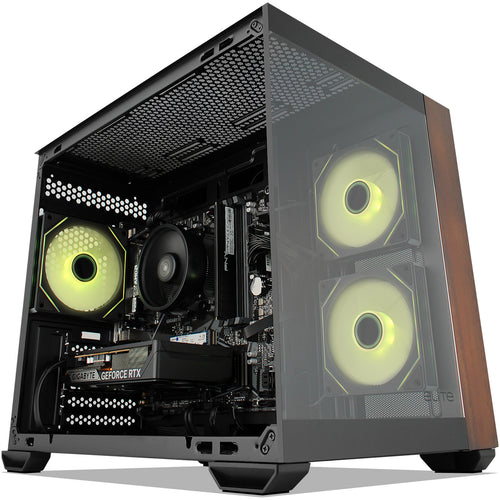
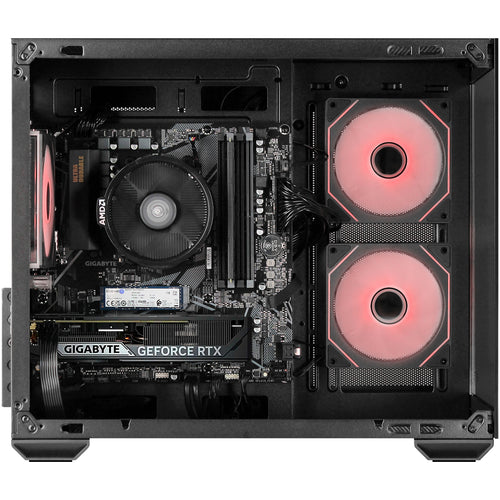
BTO009_QCS1250_NZ - DELL PRO SLIM i5-14500 16+512W11P3YBO
Features
Next-level AI
Dell Pro Slim delivers power-efficient performance for demanding workloads with AI PC options featuring Intel® Core™ Ultra desktop processors (Series 2) and three-tier multi-processing architecture combining CPU, GPU and dedicated NPU. This setup ensures AI-driven apps run faster and smoother across any project.

Bring AI to your PC
Dell delivers the industry's most comprehensive AI toolkit leveraging NPU technology[2]. Dell Pro AI Studio brings AI directly to your device, delivering cloud-like seamlessness without the hefty price tag. Set up and deploy AI with ease in any workplace.

Increased efficiency
Let your desktop work smarter, not harder, with enhanced AI collaboration that uses up to 58% less processor power during Zoom calls with AI background effects
Faster AI performance
Get up to 50% faster AI performance with Adobe After Effects' AI Scene Edit Detection[4] to speed up your editing workflow and unlock more time for creativity, all while delivering stunning results.

Top AI PC security
Work securely with effortless management on the secure and manageable commercial AI PCs[5]. Built to combat modern cyberattacks, these systems feature advanced hardware and firmware protections, integrated validation for all driver and BIOS updates, and a published schedule for driver and download releases. And, with Intel vPro® options, IT departments get multilayer security, remote management and reliable stability.

Purposeful design
A stylish, elevated design combining sustainability, functionality and powerful performance. Built for durability, all Dell Pro desktops undergo rigorous military-grade testing[6] to deliver reliable performance you can count on.
Advanced thermals
Re-engineered, it features an enhanced thermal design to optimise airflow, resulting in up to 57% quieter operation.

Tidy and organised
Set it upright on a desk, or horizontally to support a monitor and save valuable desk space. Keep it in peak condition with the optional Dust Filter to protect components and reduce cable clutter with the optional rear Dell Pro Slim Cable Cover.

Expand further
Easily upgrade your desktop's internal components with a tool-less chassis and three PCIe expandable slots. Options include DP and HDMI ports supporting up to 8K resolution[8] for enhanced video experiences, as well as Wi-Fi 7.

Efficiency meets power
High-speed productivity:
Tackle heavy workloads efficiently with up to 16GB DDR5 memory across 2 slots, one M.2 SSD, plus a second M.2 SSD via Zoom expansion card.
Outstanding visuals:
Experience true-to-life colour and stunning clarity with integrated Intel® graphics.
Expand your view:
Expand your screen setup with integrated graphics, allowing you to use up to 4 displays at once.
Comprehensive connectivity:
Including USB-C, USB-A, DP and HDMI ports.

Single BIOS strategy
Streamline PC deployment and simplify fleet management with one unified BIOS across Dell Pro Micro, Slim and Tower form factors PCs.
Built to perform
Dell Pro desktops are built for reliability and durability, with less than 1% requiring service in their first year.
Dell Truste d Update Experience
We package the latest BIOS, drivers and firmware versions for our customers - with Dell-exclusive capabilities to simplify PC management.


Frequently asked questions
Can I swap out parts and/or add/change/remove operating systems in a KW Tech PC?
We can add any part to a PC for a small fee as long as we don't need to remove an existing part for it to fit, for example adding more RAM, an extra hard drive, installing a Windows OS, or adding a graphics card to a PC without one (we can even SLI/Crossfire for you if it is compatible). We cannot change components that are part of an existing build e.g. Upgrade an existing graphics card or add a SSD with Windows installed if the PC only has a single hard drive (as the OS is already pre-installed). If you do have a specific requirement, then one of our experienced sales team will be happy to build a system that suits your needs.
Contact our WebSales team here
What parts are used in this PC?
The parts are subject to change depending on stock availability but the specifications listed in the title will always be correct. If you have specific parts you are after, one of our experienced sales team will be happy to build a system that suits your needs.
Once again, you can contact our WebSales team here
I've just purchased my first custom PC, how do I set it up?
Our short new PC setup guide shows you how to safely unbox it, and set it all up so you can get to work or start playing games.
Your can
Specifications
Technical Specifications
| Processor | Intel® Core™ i5-14500 vPro® (14 cores, up to 5.0GHz) |
|---|---|
| Operating System | Windows 11 Pro |
| Video Card | Integrated Graphics |
| Memory | 16 GB: 1 x 16 GB, DDR5, up to 4800 MT/s, non-ECC |
| Storage | 512 GB, SSD |
| Hardware Support Services Upgrades | ProSupport Next Business Day Onsite Service after remote diagnosis with HW-SW Support, 36 Month(s) |
| Ports | Front2 USB 2.0 (480 Mbps) ports1 USB 3.2 Gen 1 (5 Gbps) port1 USB 3.2 Gen 1 (5 Gbps) Type-C® port1 global headset jackRear (Computers shipped with an Intel® Core™ 300/i3 14100/i5 14500 vPro®/i5 14600 vPro®/i7 14700 vPro® processor)2 USB 2.0 (480 Mbps) ports2 USB 3.2 Gen 1 (5 Gbps) ports1 DisplayPort™ 1.4a (HBR2) port1 HDMI 2.1 (TMDS) port1 RJ45 (1 Gbps) Ethernet portRear (Computers shipped with an Intel® Core™ Ultra 5 235 vPro®/245 vPro® or Ultra 7 265 vPro® processor)2 USB 2.0 (480 Mbps) ports2 USB 3.2 Gen 1 (5 Gbps) ports1 DisplayPort™ 1.4a (HBR3) port1 HDMI 2.1 (TMDS) port1 RJ45 (1 Gbps) Ethernet portRear (expansion, these are mutually exclusive options):1 VGA port (optional)1 Serial port (optional)2 USB 3.2 Gen 2 (10 Gbps) ports (optional)1 USB 3.2 Gen 2 (10 Gbps) Type-C® with DisplayPort™ Alt Mode port (optional)For computers shipped with an Intel® Core™ 300/i3 14100/i5 14500 vPro®/i5 14600 vPro®/i7 14700 vPro® processor:1 HDMI 2.1 (TMDS) port (optional)1 DisplayPort™ 1.4a (HBR3) port (optional)For computers shipped with an Intel® Core™ Ultra 5 235 vPro®/245 vPro® or Ultra 7 265 vPro® processor:1 HDMI 2.1 (FRL) port (optional)1 DisplayPort™ 2.1 (UHBR20) port (optional) |
| Slots | 1 half-height Gen3 PCIe x16 slot2 half-height Gen3 PCIe x1 slots1 M.2 2230 slot for Wi-Fi and Bluetooth combo card1 M.2 2230/2280 slot for solid state drive1 SATA 3.0 slots for slim optical drive1 security-cable slot (for a Kensington lock)1 padlock ring |
| Dimensions & Weight | Height: 303.50 mm (11.95 in.)Width: 95 mm (3.74 in.)Depth: 293 mm (11.54 in.)Weight (minimum): 3.90 kg (8.61 lb)Weight (maximum): 5.89 kg (12.99 lb) |
| Chassis | Dell Pro Slim QCS1250 with Core 14th Gen CPU, 180W Bronze PSU |
| Wireless | No Wireless LAN Card |
| Power | 180W Bronze internal power supply unit360W Platinum internal power supply unit |
| Brand | Dell |
|---|---|
| Product Type | Computers & Tablets > Desktop PCs |
| Weight | 2.766 kg |
| Warranty |
|---|
Note:
Warranty period is as stated above unless the manufacturer has chosen to specify a longer period.
All warranties are return to base unless otherwise specified.
Shipping Information
- Free NZ-wide shipping on orders over $299
- Standard delivery 2–5 business days
- Rural delivery may take an additional 1–2 days
- Same-day dispatch for orders placed before 2pm (weekdays)
Returns Policy
- 7-day returns on unused items in original packaging
- Faulty or damaged products covered under warranty
- Contact our support team to initiate a return