


Epson Expression EcoTank ET-2910 All-in-One Printer
You May Also Like


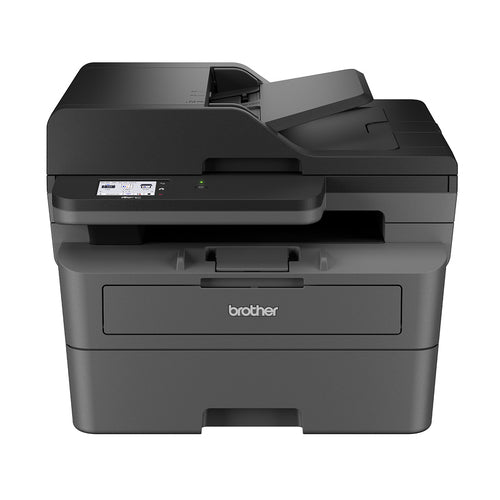
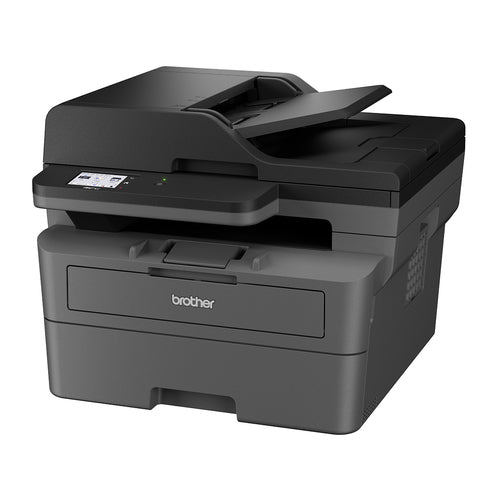
Brother MFC-L2820DW multifunction printer Laser A4 1200 x 1200 DPI 32 ppm Wi-Fi
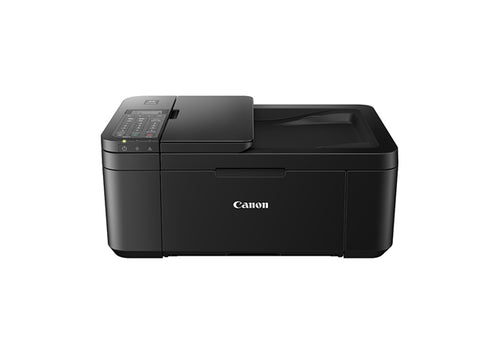
TR4660 - Canon PIXMA TR4660 8.8 ipm/4.4 ipm Inkjet MFC Printer Black
Features
Cartridge-free printing
Integrated high-capacity ink tank system

High-yield ink included
Print up to 3,600 black / 6,500 colour pages[1]
Load paper less often
100 sheets (rear feed)
Borderless photo printing
Easily print and share 4" x 6" photos

Exclusive auto-stop ink bottles
Uniquly keyed for easy filling of each colour
Wireless
Easily print from tablets and smartphones[2,3]

[1]Included ink bottle yields based on the ISO/IEC 24712 pattern with Epson's methodology. Actual ink yields will vary considerably for reasons including images printed, print settings, temperature and humidity. Yields may be lower when printing infrequently or predominantly with one ink colour. All ink colours are used for printing and printer maintenance, and all colours must be available for printing so an additional black (K) bottle may be required to reach stated colour (C, M, Y) yields. For more information, visit www.epson.com/inkinfo
[2]Most features require an Internet connection to the printer, as well as an Internet and/or email-enabled device. For a list of Epson Connect enabled printers and compatible devices and Apps, visit www.epson.com.au/connect-solutions/
[3]Wi-Fi CERTIFIED™, level of performance subject to the range of the router being used. Wi-Fi Direct may require printer software.
Note on Toner Yields:
Toner cartridge yields are provided as approximate values based on ISO/IEC standard testing methods.
Actual yield may vary depending on usage, print content, and other environmental factors.
In-box toner is typically a starter cartridge and may yield fewer pages than replacement cartridges.
Specifications
Technical Specifications
| Product Name | EcoTank ET-2910 |
|---|---|
| Printing Technology | 4-Colour (CMYK), drop-on demand MicroPiezo® inkjet technology / PrecisionCore printhead |
| Maximum Print Resolution | 5760 x 1440 dpi |
| ISO Print Speed | Black: 11 ISO ppm[1]Colour: 6 ISO ppm[1] |
| Borderless Printing | 4x6", 100x148 mm, 3.5x5" |
| Minimum Ink Droplet Size | As small as 3.3 picoliters |
| Ink Type | EcoTank ink bottles |
| Ink Palette | Cyan, Magenta, Yellow, Black |
| Ink Configuration | 4 individual ink bottles |
| Bundled Ink | 522 Black, Cyan, Magenta, Yellow(ISO Yield, Epson Methodology - Black: 3,600, Colour: 6,500)[2] |
| Replacement Ink | 522 Black, Cyan, Magenta, Yellow(ISO Yield, Epson Methodology - Black: 4,700, Colour: 7,500)[2] |
| Operating Systems | Windows® 11 (64-bit) or laterWindows® 10 (32-bit, 64-bit)Windows® 8, 8.1 (32-bit, 64-bit)Windows® 7 (32-bit, 64-bit)Mac® OS X® 10.9.5 or later, Mac® OS 11 or later[3], ChromeOS™ |
| Server Systems | Windows Server® 2008, 2008 R2, 2012, 2012 R2 or later[4] |
| Temperature | Operating: 10° to 35° CStorage: -20° to 40° C |
| Humidity | Operating: 20 - 80% relative humidityStorage: 5 - 85% relative humidity (no condensation) |
| Dimensions | Printing: 361 mm x 564 mm x 206 mm (W x D x H)Storage: 361 mm x 317 mm x 162 mm (W x D x H) |
| Weight | 4.1 kg |
| ISO Copy Speed | Black: 8.7 ISO ppm[5]Colour: 4.3 ISO ppm[5] |
| Copy Quantity | 20 (PC-free) |
| Maximum Copy Size | A4 |
| Scanner Type | Colour flatbed |
| Automatic Document Feeder (ADF) Capacity | - |
| Photoelectric Device | CIS photo sensor |
| Optical (Hardware) Resolution | 1,200 x 2,400 dpi |
| Maximum Resolution | 9,600 dpi interpolated |
| Colour Bit Depth | 48-bit colour input / 24-bit colour output |
| Scan Features | Mopria® Scan, scan to PC, scan to email |
| Standard Connectivity | Hi-Speed USBWi-Fi® 4 (802.11b/g/k/n/r/v), Wi-Fi Direct®[6] |
| Epson Connect Solutions | Epson Smart Panel app (iOS®, Android®), Epson Remote Print |
| Other | Apple® AirPrint®, Mopria® Print Service |
| Paper Sizes | 3.5" x 5", 4" x 6", 5" x 7", 8" x 10", 8.5" x 11", 8.5" x 14", A4, A6, half letter, legal, executive |
| PC-Free Paper Support | Plain (letter, 8.5" x 14", A4), Photo (4" x 6", 5" x 7", 8" x 10", letter, A4) |
| Maximum Paper Sizes | 8.5" x 14" |
| Paper Types | Plain Paper, Bright White, Photo Paper Glossy, Premium Photo Paper Glossy, Premium Photo Paper Semi Gloss, Ultra Premium Photo Paper Glossy, Presentation Paper Matte, Premium Presentation Paper Matte, Premium Presentation Paper Matte Double-Sided, Envelope |
| Envelope Types | No. 10 |
| Input Paper Capacity | 100 sheets (rear feed) |
| Display | - |
| Printer Language | ESC/P-R |
| Software Included | Epson printer driver, Epson ScanSmart®, Epson Photo+: Internet access is required to install OS X drivers and software. |
| Duty Cycle | Up to 500 pages recommended / max 3,000 pages per month[7] |
| Rated Voltage | AC 100 - 240V Universal (Automatic) |
| Rated Frequency | 50 - 60 Hz |
| Power Consumption | Approx. 12 W ISO 24712 (Standalone copy printing)Approx. 0.1 W (Power off) |
| Included | Epson EcoTank ET-2910Power cordInitial ink bottles: 1 x 522 Black, 1 x 522 Cyan, 1 x 522 Magenta & 1 x 522 Yellow |
| Note | [1]Black and colour print speeds are measured in accordance with ISO/IEC 24734. Actual print times will vary based on system configuration, software, and page complexity. For more information, visitwww.epson.com/iso-print-speeds[2]Included ink bottle yields based on the ISO/IEC 24712 pattern with Epson's methodology. Actual ink yields will vary considerably for reasons including images printed, print settings, temperature and humidity. Yields may be lower when printing infrequently or predominantly with one ink colour. All ink colours are used for printing and printer maintenance, and all colours must be available for printing so an additional black (K) bottle may be required to reach stated colour (C, M, Y) yields. For more information, visitwww.epson.com/inkinfo[3]Some applications and/or functions may not be supported under Mac OS X.[4][Only printing and scanning are supported under Windows Server OS.[5]Black and colour copy speeds are determined in accordance with ISO/IEC 29183. Actual copy times will vary based on system configuration and page complexity. For more information, visitwww.epson.com/iso-copy-speeds[6]Wi-Fi CERTIFIED™; level of performance subject to the range of the router being used. Wi-Fi Direct may require printer software.[7]Maximum Monthly duty cycle is the highest duty a user could expect in a month. It is not recommended that the device be run at this duty for a near constant operation. For best device performance, run the device at the recommended monthly page volume. Excessive use by continually using the product over the recommended monthly page volume may result in a breach of warranty. |
| Usage Conditions | Epson products are designed and made to give highly reliable use and long life when used according to its specifications. With any system, product or device used in situations where human life may be involved or at risk, Epson advises that you should take all necessary steps to ensure the suitability of your Epson product for inclusion in your system, and recommends that you include fail-safe procedures and redundancy support or backup equipment in your system, to maintain the maximum safety margin and optimum system reliability. Examples include but are not limited to - do not interfere with any electrical components within the device, do not use items supplied with the product for purposes other than as intended by Epson (ie mains cords, inks, CDs, plastic wrapping) and do not make modifications to the product. |
| Brand | Epson |
|---|---|
| Product Type | Printers & Office > Printers > Multifunction Printers |
| Weight | 6.3 kg |
| Warranty |
|---|
Note:
Warranty period is as stated above unless the manufacturer has chosen to specify a longer period.
All warranties are return to base unless otherwise specified.
Shipping Information
- Free NZ-wide shipping on orders over $299
- Standard delivery 2–5 business days
- Rural delivery may take an additional 1–2 days
- Same-day dispatch for orders placed before 2pm (weekdays)
Returns Policy
- 7-day returns on unused items in original packaging
- Faulty or damaged products covered under warranty
- Contact our support team to initiate a return