


G.SKILL Trident Z RGB 32GB DDR4 3600 Desktop RAM Kit
You May Also Like
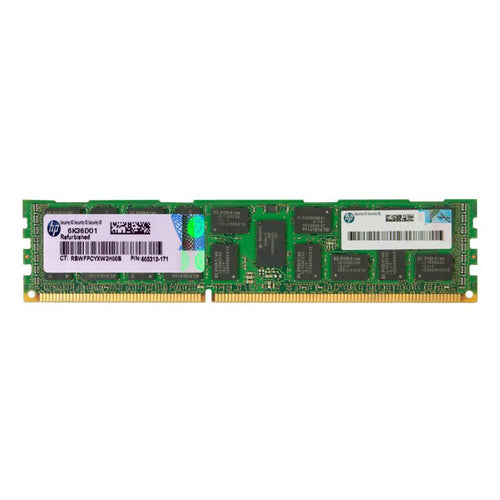
HPE 8GB Server RAM PC3L-10600R - 1333Mhz - ECC REG - DR x4 - CAS-9 - LV - 512M x4 - DIMM - AMD
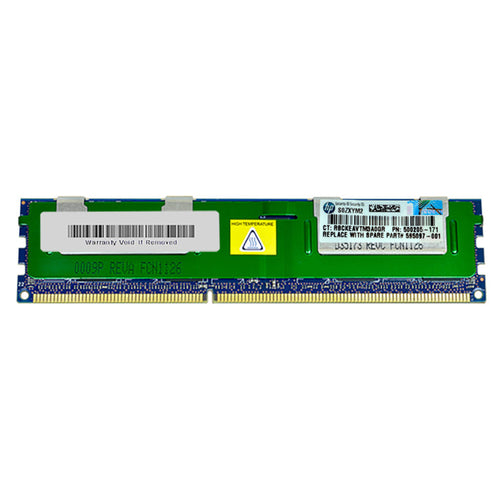
HPE 8GB Server RAM PC3-10600R - 1333Mhz - ECC REG - DR x4 - CAS-9 - 512M x4 - DIMM - AMD

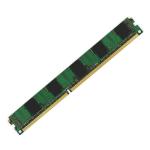
Features
F4-3600C18D-32GTZR Trident Z RGB DDR4-3600 CL18-22-22-42 1.35V 32GB (2x16GB)
Featuring the award-winning Trident Z heatspreader design, the Trident Z RGB memory series combines vivid RGB lighting with awesome DDR4 DRAM performance.

Full Range RGB
The light bar is designed for visual gratification with RGB LED lighting. The default lighting effect sports a fluid wave of rainbow colors. Downloadable software allows additional lighting effects and color customizations, so color match your build and rethink the possibilities with RGB.

Exceptionally Engineered
Trident Z RGB retains the iconic design element of the classic Trident Z series - featuring luxurious hair-line finished aluminum heatspreaders and a signature fin design. The top of the heatsink has been engineered to mount a wider light diffuser for extravagant lighting effects. Look no further for a memory that combines performance and beauty for building a stylish, modern PC!

Trident Z Means Performance
Each memory kit is created with hand-screened ICs through G.SKILL's rigorous selection process and a custom engineered ten-layer PCB for outstanding performance.

Reveal Your Inner Colors
Create a one of a kind PC with the Trident Z RGB memory kit! The best thing about having RGB capability is the ability to choose the colors you want.

Sync Up with System Lighting
Want to sync up your system lighting? You can use Asus Aura*, Gigabyte RGB Fusion*, MSI Mystic Light*, or ASRock Polychrome Sync* software to personalize the colors and effects of your Trident Z RGB memory and compatible motherboards!
* Note: Trident Z RGB lighting control support through the listed third-party software may vary between motherboard models.

XMP 2.0 Support
Just set and go. Programmed with the latest Intel XMP 2.0 profiles, the only thing between you and overclocked performance is a simple BIOS setting.
* Enable the XMP profile in the BIOS to reach up to the rated potential overclock speed of this memory kit, subject to the use of compatible hardware. Enabling XMP is an act of overclocking and requires BIOS setting adjustments. Maximum memory speed and system stability depends on the capability of the motherboard & CPU. The memory kit will boot at the SPD speed at default BIOS settings with compatible hardware.

Updating terminology - MHz and MT/s
RAM speeds were traditionally listed in MHz (e.g. DDR4 3200MHz or DDR5 6000MHz). Today, the industry standard is MT/s (mega transfers per second), so you'll now see speeds shown as DDR4 3200MT/s or DDR5 6000MT/s.
What does MT/s mean?
MT/s measures the number of data transfers a memory module can perform each second, making it a more accurate way to express RAM performance.
In practice, a module labelled 3200MHz is the same speed as 3200MT/s - only the terminology has changed.
Specifications
Technical Specifications
| Memory Type | DDR4 |
|---|---|
| Capacity | 32GB (16GBx2) |
| Multi-Channel Kit | Dual Channel Kit |
| OC Profile Support | Intel XMP 2.0 |
| Tested Speed (Up To) (XMP) | 3600 MT/s |
| Tested Latency (XMP) | 18-22-22-42 |
| Tested Voltage (XMP) | 1.35V |
| Registered/Unbuffered | Unbuffered |
| Error Checking (ECC) | Non-ECC |
| SPD Speed (Default) | 2133 MT/s |
| SPD Voltage (Default) | 1.20V |
| Fan Included | No |
| Features | Intel XMP 2.0 (Extreme Memory Profile) Ready |
| Additional Notes | Do not mix memory kits. Memory kits are sold in matched kits that are designed to run together as a set. Mixing memory kits will result in stability issues or system failure.Prior to enabling XMP, memory kits will boot at the SPD speed at default BIOS settings with compatible hardware.For memory kits with XMP, enable XMP/DOCP/A-XMP profile in BIOS to reach up to the rated potential XMP overclock speed of the memory kit, subject to the use of compatible hardware. Enabling XMP is an act of overclocking and requires BIOS setting adjustments. Please refer to the "How to Enable XMP/EXPO" guide.Reaching the rated XMP overclock speed and system stability will depend on the compatibility and capability of the motherboard and CPU used.Usage in any manner inconsistent with manufacturer specifications, warnings, designs, or recommendations will result in lower speeds, system instability, or damage to the system or its components.Memory module height can be found in the FAQ, under the question "How tall are the memory modules?".For product support and related questions, please contact the G.SKILL technical support team via email. |
| Brand | G.SKILL |
|---|---|
| Product Type | PC Parts > Memory PC/Server |
| Warranty |
|---|
Note:
Warranty period is as stated above unless the manufacturer has chosen to specify a longer period.
All warranties are return to base unless otherwise specified.
Shipping Information
- Free NZ-wide shipping on orders over $299
- Standard delivery 2–5 business days
- Rural delivery may take an additional 1–2 days
- Same-day dispatch for orders placed before 2pm (weekdays)
Returns Policy
- 7-day returns on unused items in original packaging
- Faulty or damaged products covered under warranty
- Contact our support team to initiate a return