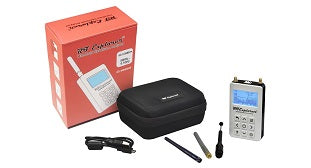
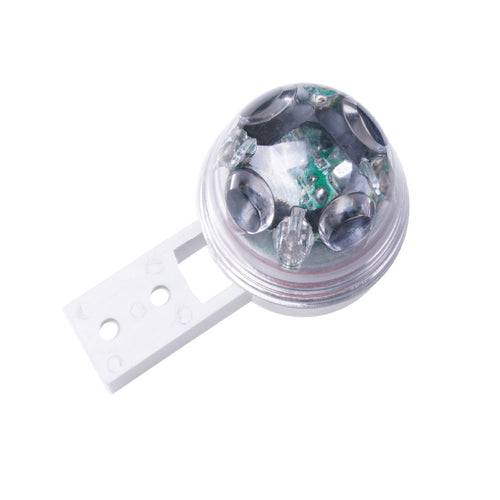
ServersCheck EXP-4HUB - MULTI-SENSOR & 4 PORTS HUB
Features
Run dual 4K displays and high-speed peripherals from a single USB4 connection, simplifying mixed-device deployments for IT teams.
Drive Dual 4K Workspaces Without Complexity
Use USB4 bandwidth and native video output to support up to two 4K 144Hz displays via HDMI, DisplayPort, or USB-C. Standardize dual-monitor desk setups across Windows and macOS without extra drivers or software. Ideal for hot desks or workstations needing consistent multi-monitor performance.
Power Demanding Devices and AI Workloads
Deliver up to 140W USB-C Power Delivery passthrough to keep high-performance laptops and AI-ready systems fully powered. Maintain host port availability while users run intensive tasks reducing downtime and increasing productivity.
Expand Devices and Accelerate Network Throughput
Add USB-C and USB-A 10Gbps ports for modern and legacy peripherals, with a flexible data or video USB-C port. Connect to 2.5GbE for faster file transfers across shared storage or cloud environments helping teams move large assets quickly and stay productive.
Applications
- Quickly connect laptops to displays, wired networks, and USB peripherals in conference rooms or hot-desk environments without requiring multiple separate dongles
- Create a compact workstation by connecting a USB4 device to multiple displays, keyboard, mouse, and other USB peripherals
Specifications
Technical Specifications
| External Ports | 1 - HDMI1 - DisplayPort1 - USB 3.2 Type-C (24 pin, 10Gbps, DP Alt-Mode Video)1 - USB 3.2 Type-C (24 pin, Gen 2, 10Gbps)1 - USB 3.2 Type-A (9 pin, Gen 2, 10Gbps)1 - USB Type-C (24 pin) USB Power Delivery Only1 - RJ-45 |
|---|---|
| Host Connectors | 1 - USB4 (40Gbps) |
| Operating Temperature | 0°C to 40°C (32°F to 104°F) |
| Storage Temperature | -10°C to 70°C (14°F to 158°F) |
| Humidity | 10% ~ 85% RH |
| 4K Support | Yes |
| Fast-Charge Port(s) | No |
| Displays Supported | 2 |
| # of Displays Supported | 2 |
| Interface | USB4 (40Gbps) |
| Bus Type | USB4 (40Gbps) |
| Industry Standards | HDMI 2.0DisplayPort 1.4USB Power Delivery Specification Rev. 3.2 |
| Chipset ID | Realtek - RTS5453HRealtek - RTS5452HRealtek - RTS5252ERealtek - RTL8156BGMonolithic - MP4247VIA - VL600VIA - VL822VIA - VL162Terminus - FE8.1Intel - JHL8140 |
| Wake On Lan | Yes |
| Maximum Data Transfer Rate | USB 10Gbps |
| Maximum Digital Resolutions | 8K 60Hz || 4K 240Hz |
| Type and Rate | USB 10Gbps |
| UASP Support | Yes |
| Compatible Networks | 2.5G/1G/100Mbps/10Mbps |
| PXE | Yes |
| Full Duplex Support | Yes |
| MTBF | 40,669 Hours |
| Color | Space Gray |
| Material | Aluminum |
| Cable Length | 8.0 in [20.3 cm] |
| Product Length | 5.6 in [141 mm] |
| Product Width | 2.2 in [55 mm] |
| Product Height | 0.7 in [17 mm] |
| Weight of Product | 0.4 lb [0.2 kg] |
| Power Source | Bus Powered and Host USB-C Power Adapter |
| Power Delivery | 140W |
| Output Voltage | 5 DC |
| Plug Type | USB Type-C (24 pin) USB Power Delivery Only |
| Power Consumption (In Watts) | SPR (Up to 100W): 20WEPR (Up to 140W): 30W |
| OS Compatibility | Windows 10, 10 ARM, 11, 11 ARMmacOS 11, 12, 13, 14, 15, 26Ubuntu 24.04 and upChromeOS |
| System and Cable Requirements | A host device with an available USB4, TB4, or TB5 port (to ensure full dock functionality, the host device's USB-C port must support USB Power Delivery and DP alt mode). |
| Note | A 4K-capable display is required to achieve UHD resolution (4K is also known as 4K x 2K).A 8K-capable display is required to achieve 8K UHD resolutionThunderbolt 3 (TB3) is not supported (other than on TB3-based Apple M1/M2/M3 Standard chipsets).M1 and M2 Standard chipsets will work with a single display, while M4/M5 Standard and M1/M2/M3/M4 Pro/Max chipsets will work with dual displays. M3 Standard chipsets will work with dual displays while in clamshell mode.Achieving refresh rates above 4K 60Hz may require DSC (Display Stream Compression) support from both the monitor and the host GPU; video capability is host dependent. The bit depth and color depth may be adjusted to enable higher refresh rates, and results may vary depending on OS updates.If monitor recognition issues occur, connect the monitor with the lowest refresh rate first, as high refresh rate monitors may consume all available bandwidth.For external display compatibility over a single USB4/Thunderbolt connection on different Windows systems, please consult the computer manufacturer's website.DP++ is not supported.The HDMI output is limited to 4K at 60Hz. To achieve dual 4K at 144Hz or a single display higher than 4K at 60Hz, the DisplayPort and/or USB-C video port must be used.When connected to a 140W supply the device will reserve 30W; when connected to a 100W supply the device will reserve 20W. |
| Included in Package | 1 - Multiport Adapter1 - Product Documentation |
| Brand | ServersCheck |
|---|---|
| Product Type | Computers & Tablets > Industrial PCs & IoT > Sensors |
| Weight | 0.748 kg |
| Warranty |
|---|
Note:
Warranty period is as stated above unless the manufacturer has chosen to specify a longer period.
All warranties are return to base unless otherwise specified.
Shipping Information
- Free NZ-wide shipping on orders over $299
- Standard delivery 2–5 business days
- Rural delivery may take an additional 1–2 days
- Same-day dispatch for orders placed before 2pm (weekdays)
Returns Policy
- 7-day returns on unused items in original packaging
- Faulty or damaged products covered under warranty
- Contact our support team to initiate a return