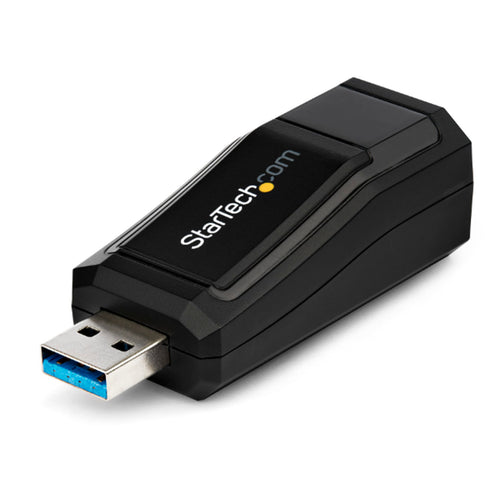
StarTech.com MSTCDP122HD - USB-C to HDMI MST Multi-Monitor Splitter
Features
This MST hub lets you connect two HDMI® monitors to your USB-C™ computer. MST works on any Windows® device that supports DP Alt Mode over USB Type-C™, such as models of Dell Precision™ and Dell XPS™ laptops and ASUS® ROG GL752. The MST hub also works with Thunderbolt™ 3 ports to provide Thunderbolt 3 to dual HDMI conversion.
The USB-C HDMI hub is powered by the USB-C port, so you don't require an additional power adapter. This adapter works with USB Type-C devices that pass a DisplayPort video signal.
Increase your productivity with multiple monitors
The newest generations of laptops are more portable than ever. But, this could mean that you're left with fewer video outputs and confined to your laptop's integrated screen. This USB-C MST hub solves these problems by letting you connect two independent HDMI displays through a USB-C port on your computer, which makes multitasking much easier. Using the MST hub, you can extend your desktop onto additional monitors and stream independent content to each display. This makes it easier to multitask and increase your productivity -- perfect for creating a hot-desk solution with a wireless keyboard and mouse peripheral set. The hub also lets you mirror the same image onto multiple displays, for remote viewing applications such as digital signage.
Astonishing picture quality that won't drain your system resources
MST technology uses your existing video card to minimize the use of system resources while delivering Ultra HD 4K resolutions. 4K is supported by the latest A/V devices and offers four times the resolution of 1080p. Plus, because the MST hub can output high-definition 1080p, it's perfect for all high-resolution applications such as graphic design and CAD drawing.
Specifications
Technical Specifications
| Audio | Yes |
|---|---|
| AV Output | HDMI |
| Chipset ID | MegaChips - STDP4320Parade - PS8402AVIA/VLI - VL100 |
| Ports | 2 |
| Maximum Digital Resolutions | 3840x2160 @ 30hz |
| Average resolution bandwidth allocation | 1920x1080 (1080p) @60hz - 22%1920x1200 @60hz - 30%2560x1440 @60hz - 35%2560x1600 @60hz - 38%3840 x 2160 (Ultra HD 4K) @30hz - 38% |
| Wide Screen Supported | Yes |
| Connector A | 1 - USB-C (24 pin) DisplayPort Alt Mode Male Input |
| Connector B | 2 - HDMI (19 pin) Female Output |
| OS Compatibility | Windows 10, 8.1, 8 |
| Humidity | 50-90% |
| Operating Temperature | 5°C to 35°C (41°F to 95°F) |
| Storage Temperature | -20°C to 60°C (-4°F to 140°F) |
| Cable Length | 1.3 in [33 mm] |
| Color | Black |
| Enclosure Type | Plastic |
| Included in Package | 1 - MST hub1 - quick-start guide |
| Brand | StarTech.com |
|---|---|
| Product Type | PC Peripherals > Adapters |
| Weight | 0.091 kg |
| Warranty |
|---|
Note:
Warranty period is as stated above unless the manufacturer has chosen to specify a longer period.
All warranties are return to base unless otherwise specified.
Shipping Information
- Free NZ-wide shipping on orders over $299
- Standard delivery 2–5 business days
- Rural delivery may take an additional 1–2 days
- Same-day dispatch for orders placed before 2pm (weekdays)
Returns Policy
- 7-day returns on unused items in original packaging
- Faulty or damaged products covered under warranty
- Contact our support team to initiate a return