Dell 210-BTHG - WD25TB5
Features
Improved manageability
Manage your dock through the Dell Device Management Console, using the Dell Display and Peripheral Manager along with the Dell Device Management Agent installed on your PC.
Simplify firmware updates
Reduce IT complexity by deploying a single firmware file across workspaces. Minimise end-user disruption with silent firmware updates, executed upon dock disconnection.
Unlock out-of-band management on select Intel® vPro® PCs with Intel® Active Management Technology (Intel® AMT) over Thunderbolt via the connected dock.
Work with confidence
Enhance your docking experience across brands with universally compatible features including MAC Address Pass-Through and Power Button Sync*.
*Power Button Sync will work with non-Dell notebooks if they support PD3.1 spec.
Power AI productivity
Maximise AI PC productivity with the Dell's most powerful Thunderbolt 5 dock and seamlessly run Gen AI tools across up to four 4K 120Hz displays. Featuring Extended Power Range, deliver up to 300W over a single USB-C cable to power even the highest-performance AI PCs, while modern ports ensure broad connectivity.

Accelerate manageability
Delivering ultimate IT efficiency across the modern workspace.

Connect your way
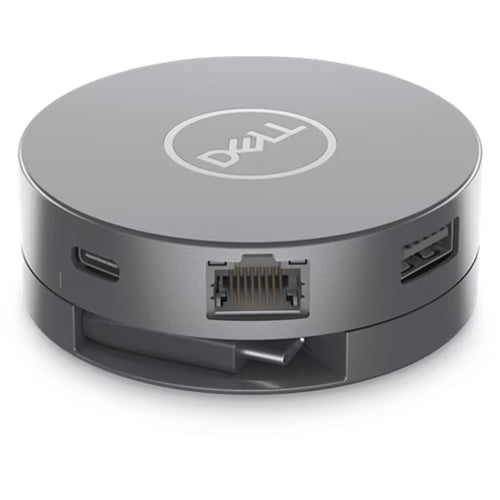
Configure your workspace to your liking with an ambidextrous USB-C cable* that can be routed left or right.

*The accurate length of this cable is 0.83 meters. The image provided is for illustrative purposes only.
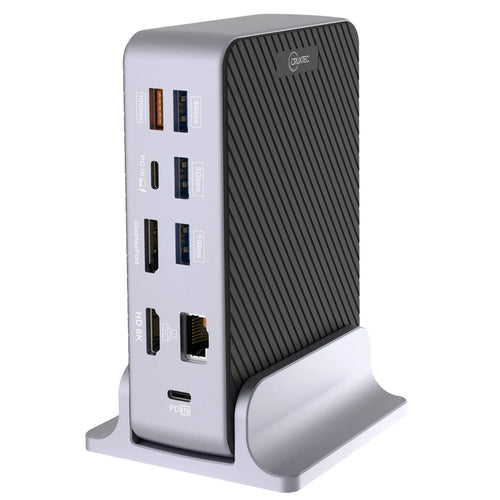
Ports and slots

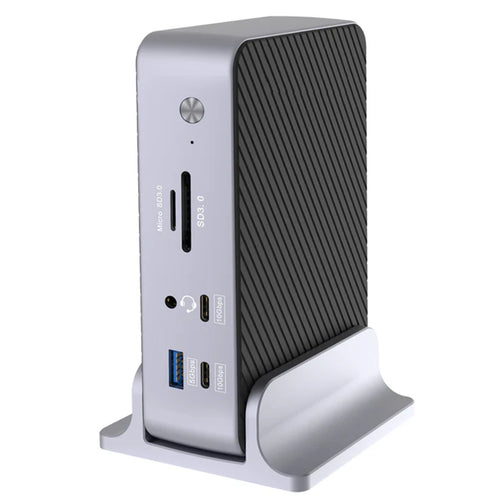
Front side
1. USB-A 3.2 Gen 2 with PowerShare
2. USB-C 3.2 Gen 2
Rear side
3. USB-A 3.2 Gen 2 with PowerShare
4. USB-A 3.2 Gen 2 with PowerShare
5. USB-A 3.2 Gen 2 with PowerShare
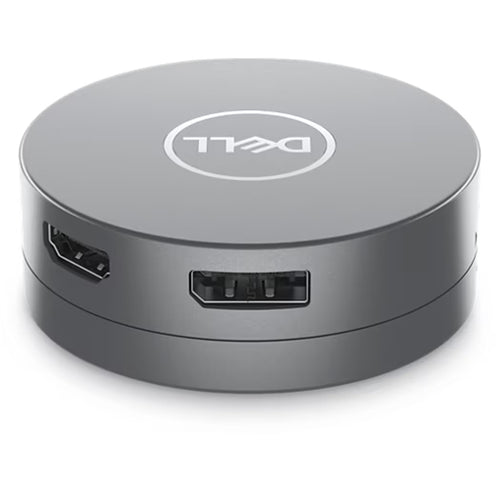
6. HDMI 2.1
7. DisplayPort 2.1
8. DisplayPort 2.1
9. USB-C 3.2 Gen 2 Multifunction DisplayPort 2.1
10. Thunderbolt 5
11. Thunderbolt 5
12. 2.5 Gigabit Ethernet (RJ45)
13. Power In
Specifications
Technical Specifications
| Connectivity Technology | Wired |
|---|---|
| Device Supported | NotebookDesktop PC |
| Cable Length | 83 cm |
| Features | Power Delivery Pass-throughLED Power IndicatorIndicator Light |
| Management Features | Intel AMT over Thunderbolt with select Intel vPro PCsMAC Address Pass-throughPXE BootDock Power Button SyncWake-on-LANWLAN to LAN SwitchKernel Direct Memory Access (DMA) ProtectionDell Command Update (DCU)Port DisablementHost PC based firmware updateFirmware update on disconnect |
| Number of Displays Supported | 4 |
| Screen Mode Supported | QHD @ 60HzWQHD @ 60Hz4K @ 60Hz5K @ 60Hz6K @ 60Hz8K @ 60Hz4K @ 120Hz |
| Supported Resolutions | 3840 x 21605120 x 21602560 x 14403440 x 14407680 x 43206144 x 3456 |
| Maximum Data Transfer Rate | 1.25 GB/s |
| Security Slot Type | Kensington Security SlotNoble Wedge Security Slot |
| Power Delivery Details | 4 x USB-A 3.2 Gen 2 (4.5W each)1 x USB-C 3.2 Gen 2 (15W)1 x USB-C Multi-function DisplayPort (7.5W)2 x Thunderbolt 5 (15W each)All deliver power with or without PC |
| Power Delivery | 300W (Dell Systems)240W (non-Dell Systems) |
| Video Resolution Details | QHD - 60 Hz (Quad Display)WQHD - 60 Hz (Triple Display)4K - 60 Hz (Dual Display)5K - 60 Hz (Single Display)4K - 60 Hz (Quad Display)4K - 60 Hz (Triple Display)6K - 60 Hz (Dual Display)8K - 60 Hz (Single Display)4K - 120 Hz (Quad Display)4K - 120 Hz (Triple Display) |
| Ethernet Technology | 2.5 Gigabit Ethernet |
| Host Interface | |
| Total Number of USB Ports | 6 |
| USB Type-A | Yes |
| Number of USB 3.2 Gen 2 Type-A Ports | 4 |
| Number of USB 3.2 Gen 2 Type-C Ports | 1 |
| Number of USB Type-A Ports | 4 |
| USB Type-C | Yes |
| USB Type-C Detail | 1 x USB-C 3.2 Gen 2 (10 Gbps), (15W), 1 x USB-C Multi-function DisplayPort (7.5W) |
| Number of USB Type-C Ports | 2 |
| Network (RJ-45) | Yes |
| DisplayPort | Yes |
| Number of DisplayPorts | 2 |
| DisplayPort Version | 2.1 |
| HDMI | Yes |
| Number of HDMI Ports | 1 |
| HDMI Version | 2.1 |
| Thunderbolt | Yes |
| Thunderbolt Ports Quantity | 2 |
| Host Software | Host Software (Windows):Dell Firmware UtilityDell Display and Peripheral ManagerDell Command UpdateCloud Management (via host PC software)Dell Device Management Console enables: Automatic firmware updates, Maintain specific firmware version or downgrade, Peripheral inventory and status |
| Operating System Supported | Windows 10Windows 11Ubuntu 24.04Red Hat Enterprise Linux 9.7ChromeOS 141macOS |
| Maximum Power Supply Wattage | 330 W |
| Power Source Type | Power Adapter |
| Height | 205 mm |
| Width | 90 mm |
| Depth | 35.3 mm |
| Weight (Approximate) | 620 g |
| Brand | Dell |
|---|---|
| Product Type | Computers & Tablets > Docking Stations |
| Weight | 0.93 kg |
| Warranty |
|---|
Note:
Warranty period is as stated above unless the manufacturer has chosen to specify a longer period.
All warranties are return to base unless otherwise specified.
Shipping Information
- Free NZ-wide shipping on orders over $299
- Standard delivery 2–5 business days
- Rural delivery may take an additional 1–2 days
- Same-day dispatch for orders placed before 2pm (weekdays)
Returns Policy
- 7-day returns on unused items in original packaging
- Faulty or damaged products covered under warranty
- Contact our support team to initiate a return