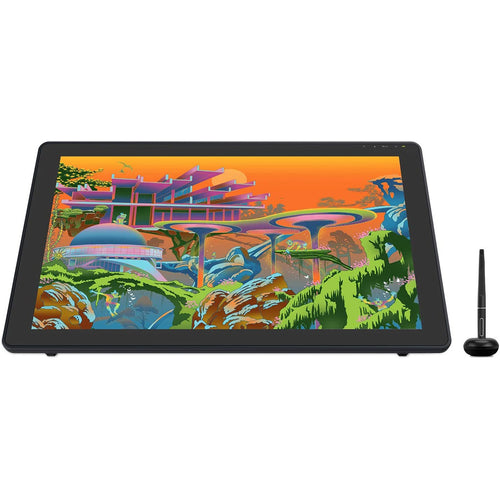
Huion HS611 Pen Tablet
Features
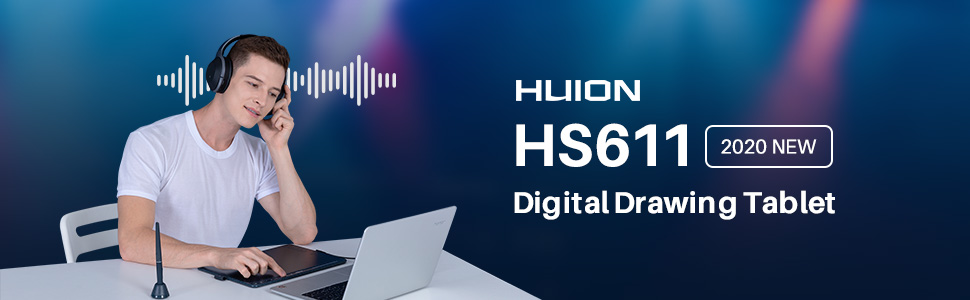
2020 Huion HS611
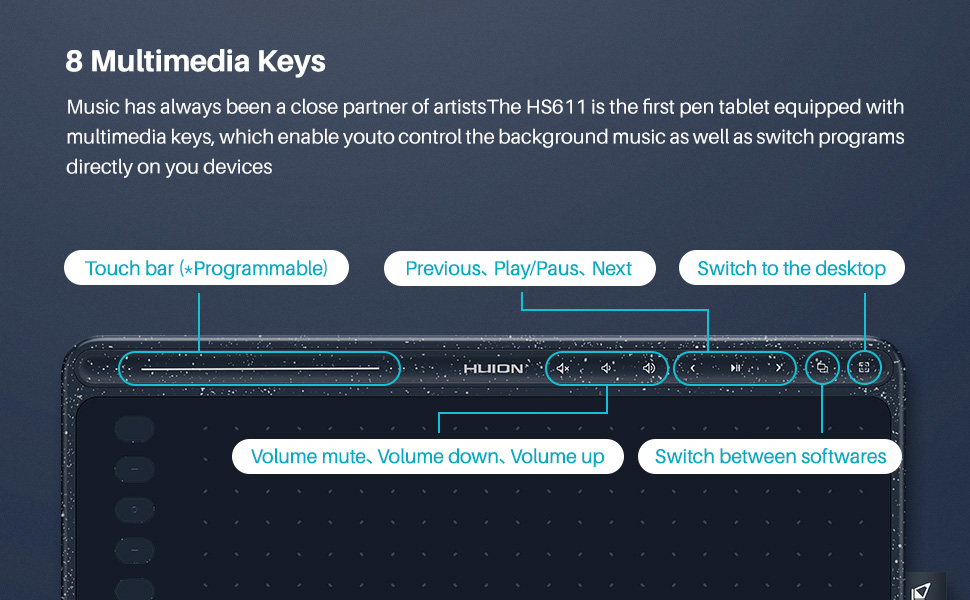
Innovative 8 Multimedia Keys - HS611 is the first pen tablet equipped with multimedia keys, the 8 multimedia keys are ergonomically designed on the upper side of the pen tablet, which helps to maximize productivity. Features included: volume mute/down/up, previous play/pause/next, switch between softwares/switch to the desktop. It is a great choice for video editors and people who like to listen to music while creating.
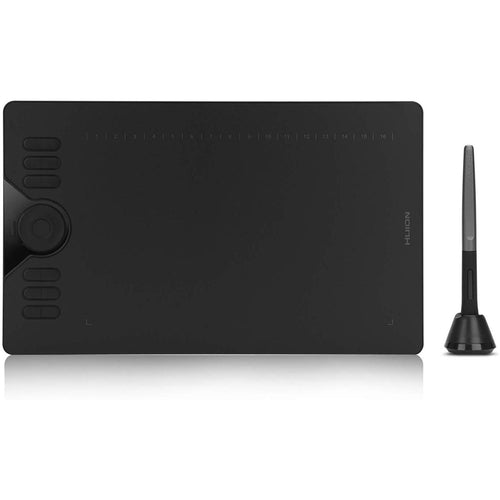
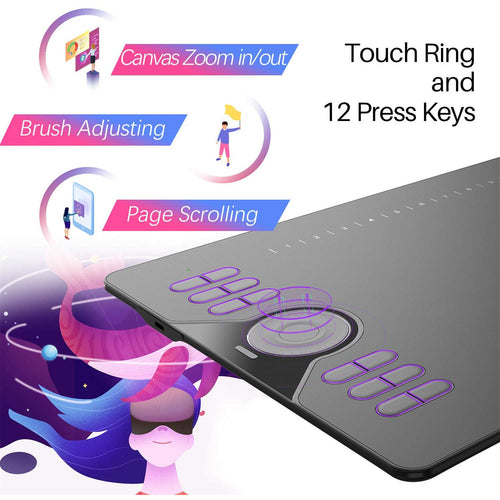
10 Programmable Press Keys and Touch Strip - 10 programmable press keys can be customized in the Huion driver and Huion sketch app. The added programmable touch strip can easily zoom in or out your canvas. Type-C plug, easily plug in and out with either direction which is more convenient and stable.
Ultra-thin & Large Working Area - The HS611 drawing tablet is only 7.3mm thick and weigh 550g. It is the thinnest tablet on the market, easy to carry the tablet around. 6.35x10.17 inch(161.5x258.4 mm) sufficient working surface, provides you a carefree drawing experience. The dot grid cover specifies the working area and thus improves the accuracy of work. From head to toe, from cracks to nooks, HS611 is all in the same color, even the pen matches the color.
Battery-free Stylus - PW500 battery-free digital pen with 266PPS report rate and 8192 pressure sensitivity level provides you nature and smooth lines. ±60°tilt support imitate real brush strokes, which offers you a more realistic drawing experience.
Android & PC Supported - Compatible with Android 6.0 or above, Windows 7 or above, mac OS 10.12 or above. Only mobile phone and tablet powered by Android 6.0 or above are supported. NOTE: The cursor will not show up in SAMSUNG devices at present, except SAMSUNG Note Series. It is compatible with most major software including: Photoshop, SAI, Illustrator, Clip Studio, Huion sketch, FlipaClip, Medibang, Autodesk Sketchbook, Zenbrush and more.

WARM TIPS:
1. HS611 is not a stand alone product!
HS611 must be connected to a computer or Android devices to use.
2. Connection
Please make sure completely plug USB cable into the tablet. When you need to connect the tablet to mobile phone, please use the OTG adapter and operate following to the user manual.
3. Driver Download and Installation
Driver Download: Our driver will be regularly updated, so please go to Huion official web to download the newest driver, and install it on your computer.
3.1 For Windows Users:
Please make sure there is no other brands driver on computer and close all drawing program before installation. (IMPORTANT) Please run as administrator when installing the driver.
3.2 For Mac Mojave (10.14), Catalina (10.15) Users:
Our driver is compatible with Mac OS Mojave (10.14) and Catalina (10.15), please install the newest released driver on your computer and add the "HuionTablet" and "TabletDriverAgent" into the whitelist first after installed the driver.
4. HUION Tech Support
If you have any problems with the HS611, please check the Quick Guide and search Huion online to find a way to ask us for further assistance, we are always ready to help you!
Reminder:
The Samsung Note series can display the cursor after setting, other series will not. The cursor will not show up in following models:
Nexus 6 /Google
Galaxy S6 /Samsung
Galaxy S7 edge /Samsung
Galaxy S7 /Samsung
Galaxy Tab S2 /Samsung
Galaxy S8 /Samsung
Galaxy S9 /Samsung
Galaxy S10, S10e /Samsung
Battery-free Stylus PW500
Work with battery-free stylus PW500, say goodbye to charging cables. With 8192 pen pressure, 266 PPS, 5080 LPI makes every stroke more fluent.
±60°tilt support ensures lifelike rendering of shading added to your works, without compromising the delicacy of each line input.

10 Programmable Press Keys
Combination of 10 press keys are available for shortcut setup, which will outstandingly contribute to your work efficiency.
The Huion driver allows the shortcut keys to be attuned to many different software.

USB-C Interface
The foolproof Type-C interface ensures easy and fast connection, which will further optimize user-experience.
For an Android phone/tablet connection, the work area will be 161.5 x 90.1mm. ONLY mobile phone and tablet powered by Android 6.0 or above are supported.Choose the most comfortable way you like to create.

Larger and Thinner
With 7.3mm of thickness the HS611 allows you to easily put it in your backpack.
With 550g lightweight body and a durable loop to hold the pen, the HS611 will turn your idea of outdoor drawing into reality by connecting the Android devices.

User-friendly Design
Anti-slip rubbers on the back can prevent the tablet from dropping easily down when you focus on drawing.
Only 550g and 7.3mm thickness, easy to carry. Added pen holder directly improving the look and touch and bring you convenience.

Package Contents
- HUION HS611 Tablet(Starry Blue)
- Battery-free Pen PW500
- Pen Holder PH03
- Pen Nibs x 8
- Nib Clip
- OTG Adapter (Micro USB)
- OTG Adapter (USB-C)
- USB-C Cable
- Quick Start Guide


Specifications
Technical Specifications
| Colour | Starry Blue |
|---|---|
| Dimension | 333.4 x 218.4 x 7.3mm |
| Workspace | 258.4 x 161.5mm |
| Net Weight | 550g |
| Touch | Touch Strip |
| Interface | USB-C |
| Digital Pen | PW500 |
| Pen Technology | Battery-Free Electromagnetic Resonance |
| Pen Resolution | 5080 LPI |
| Pressure Sensitivity | 8192 Levels |
| Tilt Support | ±60° |
| Sensing Height | 10mm |
| Report Rate | >233PPS |
| Accuracy | ±0.3mm |
| Press Keys | 10 Programmable Press Keys8 Multimedia Keys |
| OS | Windows 7 or latermacOS 10.12 or laterAndroid 6.0 or later |
| Brand | Huion |
|---|---|
| Product Type | PC Peripherals > Graphics Tablets |
| Weight | 1.15 kg |
| Warranty |
|---|
Note:
Warranty period is as stated above unless the manufacturer has chosen to specify a longer period.
All warranties are return to base unless otherwise specified.
Shipping Information
- Free NZ-wide shipping on orders over $299
- Standard delivery 2–5 business days
- Rural delivery may take an additional 1–2 days
- Same-day dispatch for orders placed before 2pm (weekdays)
Returns Policy
- 7-day returns on unused items in original packaging
- Faulty or damaged products covered under warranty
- Contact our support team to initiate a return