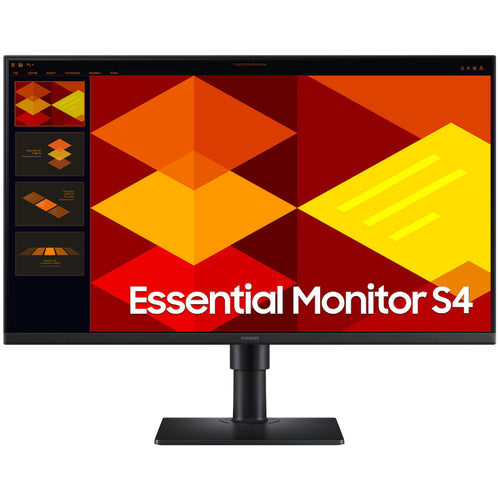
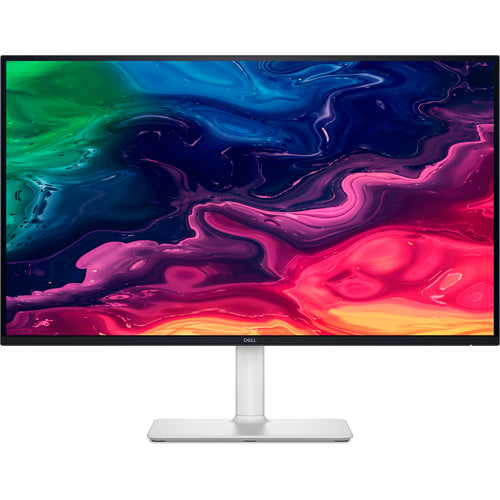
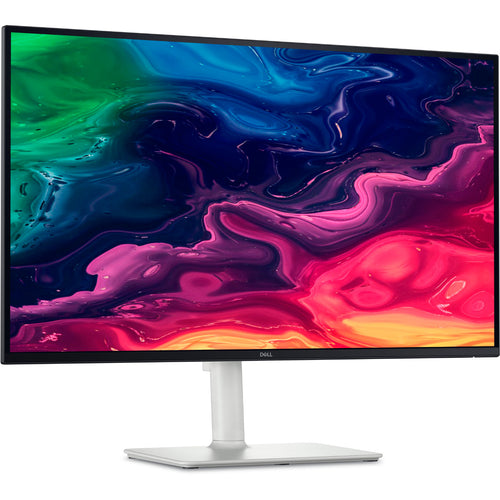
Samsung ViewFinity S80UH 27" 4K UHD USB-C 90W Business Monitor
Features
Crystal-clear visuals for professionals
4K UHD
4K UHD (3840x2160) resolution delivers visual excellence that professionals require. Its high pixel density reveals greater levels of detail on the ViewFinity S8 S80UH. With accurate colour representation and more screen space, you can create intricate designs, complex diagrams and dynamic video content.*

*Screen images simulated for illustrative purposes.
Enhanced realism through more colours
HDR10
HDR10 ensures true-to-life colour representation of over 1 billion colours, with darker blacks and brighter highlights. Experience a wide gamut of colours for stunning accuracy and detail on the ViewFinity S8 S80UH. Your content becomes engaging, just as intended.*

*Screen images simulated for illustrative purposes.
Stay powered and productive
USB-C & LAN port
The USB-C port allows simultaneous 90W charging and data transfer, while the built-in LAN port offers seamless Ethernet connectivity for your laptop. Enjoy an enhanced workspace with integrated connectivity, giving you effortless control of the ViewFinity S8 S80UH and connected devices.

Quick device connection for fast-paced work
Easy Connection
Easy Connection keeps frequently used ports within reach, so you can connect devices without fumbling for hard-to-reach ports. It's designed to keep fast‑paced work running smoothly on your monitor for a more efficient workspace.

Control multiple sources in harmony
Built-in KVM Switch
The built-in KVM switch lets you connect and control two sources at once with just one keyboard and mouse. Now you can avoid multi-device hassle and multitask seamlessly with easy input switching on the ViewFinity S8 S80UH.

Efficient multitasking on one screen
Picture-in-Picture & Picture-by-Picture
Stay focused without switching screens or missing important updates on your monitor. Picture-in-Picture allows you to effortlessly view documents, chat windows or entertainment alongside your main content with a secondary sub-screen. And Picture-by-Picture helps you work across devices by splitting the screen in half and using two inputs at their native resolution.

View with enhanced versatility
Ergonomic Design
Find the angle that keeps you comfortable thanks to this monitor's Ergonomic Design. Simply tilt, swivel and adjust the height of your screen for the best position and ultimate utility. And this monitor can pivot the screen 90 degrees so you can view long documents with less scrolling.

Easy on the eyes
Eye Saver Mode & Less Screen Flickering
Protect your vision with advanced eye comfort technology, certified by TÜV. Eye Saver Mode reduces eye strain by minimising blue light, and Less Screen Flickering helps prevent irritating screen flicker, so you can stay comfortable while using your monitor - even during long sessions.*

*Screen images simulated for illustrative purposes.
A comprehensive, all-in-one control hub
Samsung Display Manager
Samsung Display Manager helps you easily access features like split-screen setup, brightness adjustment, KVM, PIP/PBP and precise colour calibration. Just click on the floating menu on your desktop and enjoy advanced screen controls at your fingertips. For business users, the MAPT (Mac Address Pass Through) feature allows asset managers to reliably identify and track connected devices on their network.*

*Screen images are simulated for illustrative purposes. Actual UI may be different.
Requires the Samsung Display Manager program on each PC, available for download at Samsung.com or Microsoft Store.
Colour calibration is compatible with Galaxy mobile devices. MAPT supports single monitors only.
Samsung Display Manager features require a PC running Windows 10 or later, or macOS 12 or later.
Requires the latest firmware, which can be downloaded from samsung.com. A USB flash drive is required for update. Feature may vary by model.
Responsibly designed and built
Recycled Materials
The ViewFinity monitor contains 5% post-consumer recycled plastic. No chemical sprays are used on the monitor's plastic, making it easy to recycle. Plus, the packaging box joints are glued together, eliminating the need to remove staples during disassembly.*

*The percentage of recycled material, which may vary by component, is calculated based on the total weight of plastic used on the product (weight of recycled materials/total weight of plastic).
KW Tech is a Samsung Authorised Service Provider

Specifications
Technical Specifications
| Screen Size (Class) | 27 |
|---|---|
| Flat / Curved | Flat |
| Active Display Size (HxV) (mm) | 596.7 x 335.7 mm |
| Aspect Ratio | 16:9 |
| Panel Type | IPS |
| Brightness (Typical) | 350 cd/㎡ |
| Brightness (Min) | 280 cd/㎡ |
| Contrast Ratio Static | 1,000:1 |
| Contrast Ratio (Dynamic) | Mega ∞ DCR |
| HDR(High Dynamic Range) | HDR10 |
| Resolution | 4K (3840 x 2160) |
| Response Time | 5 (GTG) |
| Viewing Angle (H/V) | 178 / 178 |
| Colour Support | Max 1.07B |
| sRGB Coverage | 99 % |
| Refresh Rate | Max 60 Hz |
| Energy Saving Solution | Yes |
| Eye Saver Mode | Yes |
| Flicker Free | Yes |
| Picture-In-Picture | Yes |
| Picture-By-Picture | Yes |
| Image Size | Yes |
| Windows Certification | Windows11 |
| Off Timer Plus | Yes |
| Auto Source Switch | Auto Source Switch+ |
| KVM Switch | Yes |
| Display Port | 1 EA |
| Display Port Version | 1.2 |
| HDCP Version (DP) | 2.2 |
| HDMI | 1 EA |
| HDMI Version | 2.0 |
| HDCP Version (HDMI) | 2.2 |
| Headphone | 1 |
| USB Hub | 3 |
| USB Hub Version | 3.2 Gen1 |
| USB-C | 1 EA |
| USB-C Charging Power | 90 W |
| USB-B Upstream Port | 1 |
| USB Type-A Downstream Port | 3 EA |
| USB Type-A Downstream Version | 3.2 Gen1 |
| USB Type-C Downstream Port | 1 |
| USB Type-C Downstream Version | 3.2 Gen1 |
| HDCP Version (USB-C) | 2.2 |
| Ethernet (LAN) | 1 EA |
| Temperature | 10 ~ 40 ℃ |
| Humidity | 10 ~ 80 (Non-Condensing) |
| Factory Tunning | Yes |
| Front Colour | Black |
| Rear Colour | Black |
| Stand Colour | Black |
| Stand Type | HAS Pivot |
| HAS(Height Adjustable Stand) | 120.0(±5.0) |
| Tilt | -3˚(±2˚) ~ 25˚(±2˚) |
| Swivel | -45˚(±3˚) ~ 45˚(±3˚) |
| Pivot | -92˚(±2˚) ~ 92˚(±2˚) |
| Wall Mount | 100 x 100 mm |
| TCO Certified | Yes |
| EPEAT | Silver (US, CA) |
| Carbon Footprint | Yes |
| Recycled Plastic | 15 % |
| Power Supply | AC 100 - 240 V |
| Power Consumption (Max) | 190 W |
| Power Consumption (Typ) | 40 W |
| Power Consumption (DPMS) | 0.50 W |
| Power Consumption (Off Mode) | 0.30 W |
| Power Consumption (Yearly) | 149 kWh/year |
| Type | Internal Power |
| Set Dimension with Stand (WxHxD) | 616.3 x 560.2 x 218.0 mm |
| Set Dimension without Stand (WxHxD) | 616.3 x 366.5 x 46.0 mm |
| Package Dimension (WxHxD) | 693.0 x 170.0 x 438.0 mm |
| Set Weight with Stand | 5.3 kg |
| Set Weight without Stand | 3.9 kg |
| Package Weight | 7.9 kg |
| Brand | Samsung |
|---|---|
| Product Type | PC Peripherals > Monitors > 27 Inch Monitors |
| Weight | 7.9 kg |
| Warranty |
|---|
Note:
Warranty period is as stated above unless the manufacturer has chosen to specify a longer period.
All warranties are return to base unless otherwise specified.
Shipping Information
- NZ-wide delivery, dispatched from Auckland
- Standard delivery 2–5 business days
- Rural delivery may take an additional 1–2 days
- Same-day dispatch for orders placed before 2pm (weekdays)
Returns Policy
- 7-day returns on unused items in original packaging
- Faulty or damaged products covered under warranty
- Contact our support team to initiate a return