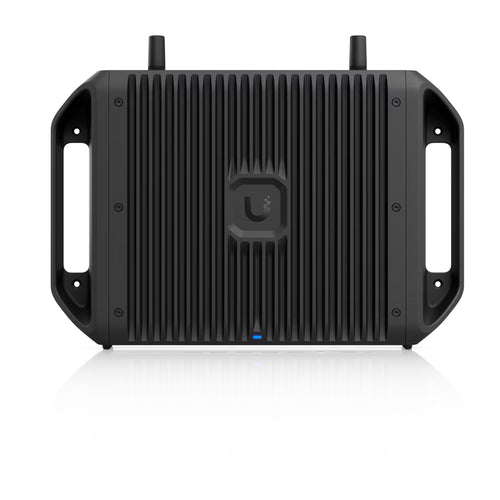
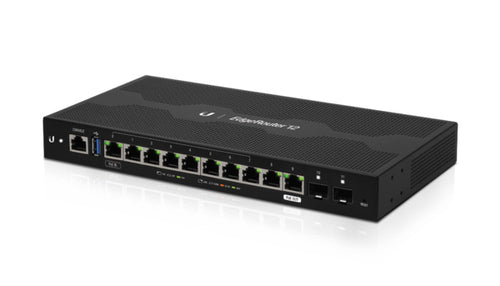
TP-Link Mercusys MB110-4G Router
Features
300 Mbps Wireless N 4G LTE Router
- 4G network - Share internet access with up to 32 Wi-Fi devices and enjoy download speeds of up to 150 Mbps
- Plug a SIM card and play - No configurations needed, compatibility of SIM cards are assured by years of field tests
- 300 Mbps WiFi - Fast WiFi speeds up to 300 Mbps to share your network
- Wi-Fi router mode - Plug an Ethernet cable into the LAN/WAN port for flexible access if you can't get a 4G connection
Plug Your Nano SIM Card and Play
Fully compatible with FDD-LTE and TDD-LTE to work with most service providers worldwide. Insert a nano SIM card and turn on the router to share your 4G LTE network with multiple Wi-Fi devices.
Get Wi-Fi Where You Need It
Enjoy unmatched convenience and versatility and utilize fast and stable Wi-Fi, whether you're at home or working remotely.
Superfast 4G LTE Speed for Reliable Wi-Fi
Working as a 4G router, the MB110-4G uses 4G LTE technology to achieve super-fast speeds up to 150 Mbps download and 50
Mbps upload. It can also share a Wi-Fi network with a maximum speed of 300 Mbps on 2.4 GHz for gaming, streaming, and more.
Share the WiFi with Friends
A remarkable number of wireless gadgets are compatible with this 4G router without any issues. Up to 32 simultaneous
connections for tablets, laptops, mobile phones, and other devices.
Full of Strong and Stable Signal
Internal high-gain antennas strengthen the WiFi signal, extend the range of connection establishment, and boost the sensitivity of the router. Additionally, by connecting your extra 4G antennas to the external antenna ports, you may further strengthen the signal.
Available WAN Connection Backup
With a fully functional WAN/LAN port, MB110-4G can work as a router that is compatible with cable, fiber,and DSL modems, or provide internet for wired devices. The reliable access is for up to 32 devices Simultaneously.
Easy Setup and Management via MERCUSYS App
Set up and manage your Wi-Fi through the MERCUSYS app from your smartphone (Android, iOS).
Flow Switch
Turn on or off your 4G network access by yourself to avoid unknowing consumption.
Roaming Switch
If your 4G nano SIM card supports roaming, you can easily turn it on or off to access it.
Setting Limit
Set the maximum amount of flow used to avoid overspending. And you can set receiving SMS alerts when approaching the limit.
Specifications
Technical Specifications
| Wireless Standards | IEEE 802.11b/g/n |
|---|---|
| Frequency | 2.4 GHz |
| WiFi Speeds | 300 Mbps |
| Reception Sensitivity | 11g 54M: -74 dBm11n HT20: -71 dBm11n HT40: -68 dBm |
| Transmission Power | < 20 dBm (2.4 GHz) |
| Wireless Security | WPA-PSK / WPA2-PSK |
| Wireless Functions | Enable/Disable Wireless Radio, Wireless Schedule, WMM, WirelessStatistics |
| Dimensions | 95×61.05×165.97 mm |
| Interfaces | 1× 10/100Mbps LAN/WAN Port1× 10/100Mbps LAN Port2× 4G/3G External Antenna Ports1× Nano SIM Card Slot |
| Button | WPS/Reset Button |
| Ethernet Ports | 1× 10/100 Mbps LAN/WAN Port +1× 10/100 Mbps LAN |
| Network Type | EU:FDD-LTE: B1/B3/B5/B7/B8/B20/B28 (2100/1800/850/2600/900/800/700 MHz)TDD-LTE: B38/B40 (2600/2300 MHz)HSPA+/UMTS: B1/B5/B8 (2100/850/900 MHz)UN:FDD-LTE: B1/B2/B3/B4/B5/B7/B8/B28/B66 (2100/1900/1800/1700/850/2600/900/700/1700 MHz)TDD-LTE: B40 (2300 MHz)HSPA+/UMTS: B1/B2/B4/B5/B8 (2100/1900/1700/850/900 MHz) |
| DHCP | Server |
| Package Contents | 300 Mbps Wireless N 4G LTE Router (MB110-4G)Power AdapterRJ45 Ethernet CableQuick Installation Guide |
| Environment | Operating Temperature: 0°C~40°C (32°F~104°F)Storage Temperature: -40°C~60°C (-40°F~140°F)Operating Humidity: 10%~90% Non-CondensingStorage Humidity: 5%~90% Non-Condensing |
| Brand | TP-Link |
|---|---|
| Product Type | Networking > Routers |
| Weight | 0.5 kg |
| Warranty |
|---|
Note:
Warranty period is as stated above unless the manufacturer has chosen to specify a longer period.
All warranties are return to base unless otherwise specified.
Shipping Information
- NZ-wide delivery, dispatched from Auckland
- Standard delivery 2–5 business days
- Rural delivery may take an additional 1–2 days
- Same-day dispatch for orders placed before 2pm (weekdays)
Returns Policy
- 7-day returns on unused items in original packaging
- Faulty or damaged products covered under warranty
- Contact our support team to initiate a return