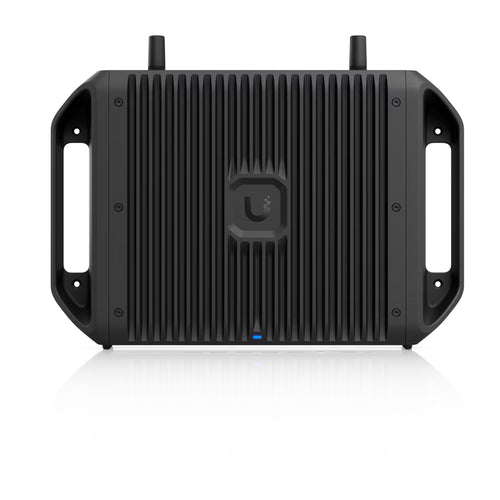
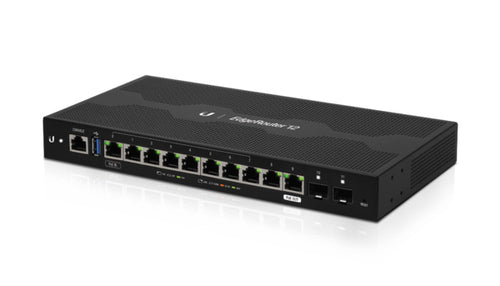
TP-Link TP Link Omada Fusion 2.5G Gateway
Features
Omada Fusion 2.5G Gateway is an all in one solution that integrates a gateway and controller into a single device. Positioned at the center of the Omada networking ecosystem, Fusion 2.5G unifies networking and centralized management with license free cloud control straight out of the box. Bluetooth based setup simplifies deployment, cuts installation time, and reduces on site visits through touchscreen based troubleshooting - helping increase profitability while delivering projects more efficiently.
- License Free Cloud Management for Multi Site Work
- Simplified Setup with Auto Device Detection via Bluetooth and One-Tap Bulk Device Adoption
- Enterprise Grade Performance: High-Performance Quad-Core CPU, Five 2.5G Ports, IPS/IDS at 2.1 Gbps*
- Quick Troubleshooting via Touchscreen, Less On-Site Work
- Secure Remote Network Access - One Click Away with Omada LightLink VPN
- Advanced Software Capabilities: App‑Based ACL, One-Click Auto QoS, Full Mesh SD-WAN, Content Filtering
License Free Cloud Management
Fusion 2.5G features a built‑in controller, enabling full access to all functions - from day one, with no additional license required. It supports centralized multi‑site management and allows administrators to remotely access and control the network through the Omada Cloud portal via web or Omada app.
Simplified Setup via Bluetooth
Fusion 2.5G features a built‑in Bluetooth, supporting auto device detection via the Omada App and enables batch adoption of Omada networking devices, streamlining the initial setup process.
Just 3 Steps from unboxing to live network. No Wi-Fi pre-configuration needed. Just unbox and connect via Omada App.
01 Unbox & Power On
02 Open Omada App & Adopt Devices in One Tap: Built-in Bluetooth enables auto-detection in Omada App.
03 Network Goes Live
Touchscreen for On Site Troubleshooting
A 2.51 inch integrated touchscreen provides access to network health scores, speed tests, alerts, and real time traffic, enabling basic diagnostics and troubleshooting directly on the device.
- Live Speed Test: Check network speed with one click
- Health Score: View current and historical network health scores
- Fault Alerts: Visually displays port connection status and reports error logs
- System Status: Directly view system status such as port, CPU usage and temperature
Secure Remote Network Access
Fusion 2.5G supports Omada LightLink VPN for secure remote access. Smart Split Tunneling routes only designated traffic through the VPN, reducing tunnel load while maintaining network performance.
Advanced Software Capabilities
Fusion 2.5G supports application‑ and category‑level access control. QoS enables traffic prioritization through predefined profiles and custom rules, ensuring critical applications receive appropriate bandwidth. It supports SD‑WAN connectivity for up to 20 sites without public IP addresses, while content filtering provides flexible category‑ and time‑based rules for centralized policy enforcement.
Specifications
Technical Specifications
| Standards and Protocols | IEEE 802.3, IEEE802.3i, IEEE802.3u, IEEE802.3ab, IEEE 802.1q, IEEE802.1p, IEEE 802.1ab, TCP/IP, DHCP, ICMP, NAT, PPPoE, NTP, HTTP,HTTPS, DNS, IPSec, PPTP, L2TP, OpenVPN, WireGuard VPN, SNMP,LLDP |
|---|---|
| Interface | 1x 2.5G WAN port4 x 2.5G LAN/WAN ports |
| Network Media | 10BASE-T: UTP category 3, 4, 5 cable (Max 100 m)EIA/TIA-568 100Ω STP (Max 100 m)100BASE-TX: UTP category 5, 5e cable (Max 100 m)EIA/TIA-568 100Ω STP (Max 100 m)1000BASE-T: UTP category 5, 5e, 6 cable (Max 100 m)2.5GBASE-T: UTP category 5, 5e, 6 cable (Max 100 m) |
| Button | Reset button |
| Indicator | LCM color touchscreen, 2.51 inch |
| Power Supply | USB type C (5V DC/3A) (Adapter included) |
| Flash | 64Mbit Nor+16GB eMMC |
| DRAM | 2 GB DDR4 |
| Antenna | 1x BLE Antenna |
| Surge Protection | 4kV |
| ESD Protection | ±8kV air discharge±4kV contact discharge |
| Dimensions ( W x D x H ) | 6.3 × 5.12 × 1.24 in (160mmx130mmx31.5mm) |
| Net Weight | 0.510 Kg |
| Fan | Fanless |
| Enclosure Materials | Plastic |
| Installation | Desktop/Magnetic Wall-mount/Rack-mount ( magnetic wall mount kit and rack-mount kit sold separately) |
| MTBF | 613523h @ 25°C |
| Max Power Consumption | 8.18 W (power adapter included) |
| Note | *Rated specifications are based on test results using specific software version. Device performance may vary as a result of the actual scenario. |
| Concurrent Session | 150,000 |
| New Sessions /Second | 7,800 |
| Static IP NAT Throughput (Upload / Download) | 2362 Mbps / 2361Mbps |
| DHCP NAT Throughput (Upload / Download) | 2363 Mbps / 2359 Mbps |
| PPPoE NAT Throughput (Upload / Download) | 2355 Mbps / 2357 Mbps |
| L2TP NAT Throughput (Upload / Download) | 1727 Mbps / 1235 Mbps |
| PPTP NAT Throughput (Upload / Download) | 1843 Mbps / 1399 Mbps |
| 66 Byte Packet forwarding rate (Upload / Download) | 3,472,452 pps / 3,472,359 pps |
| 1,518 Byte Packet forwarding rate (Upload / Download) | 202,671 pps / 202,668 pps |
| LightLink VPN Throughput | 527 Mbps |
| IPSec VPN Throughput | ESP-SHA1-AES256: 1023 Mbps,ESP-SHA256-AES256: 1073 MbpsESP-SHA384-AES256: 972 MbpsESP-SHA512-AES256: 1087 Mbps |
| OpenVPN Throughput | 223 Mbps |
| L2TP VPN Throughput | 892 Mbps |
| PPTP VPN Throughput | 193 Mbps |
| SSL VPN Throughput | 250 Mbps |
| WireGuard VPN Throughput | 605 Mbps |
| IPS Throughput (Upload / Download) | 2183Mbps / 2152Mbps |
| DPI Throughput (Upload / Download) | 2206 Mbps / 2219Mbps |
| WAN Connection Type | Static IPDynamic IPPPPoEPPTPL2TPMAP-EDS-Lite |
| DHCP | DHCP ServerDHCP Options CustomizationDHCP Address ReservationMulti-IP InterfacesMulti-Net DHCPWAN DHCP 60 |
| IPTV | IGMP v2/v3 Proxy, Custom Mode, Bridge Mode |
| IPv6 | StaticIP / SLAAC / DHCPv6 / PPPoE / 6to4Tunnel / PassThrough / NonAddress mode |
| VLAN | 802.1Q VLAN |
| MAC Clone | Modify WAN Address |
| Bridge VLAN | Yes |
| Virtual WAN | WAN Connection Type: Static IP, Dynamic IP, PPPoEMax Virtual WAN Entries: 3 |
| ACL | Source/Destination IP Based ACLStateful ACLIPv4/IPv6 ACLNational Based ACLFQDN |
| Routing | Static RoutingPolicy Routing |
| QoS(Quality of Services) | Yes |
| Load Balance | Intelligent Load BalanceApplication Optimized RoutingLink BackupOnline Detection |
| NAT | One-to-One NATVirtual ServerNAT-DMZFTP/H.232/SIP/IPSec/PPTP ALGUPnPDisable NAT |
| MAC Filtering | Yes |
| IP-MAC Binding | Yes |
| Session Limit | IP-based Session Limit |
| LightLink VPN | Invite by LinkInvite by EmailLightLink Clients (253) |
| IPSec VPN | 20 IPSec VPN TunnelsLAN-to-LAN, Client-to-LANMain, Aggressive Negotiation ModeDES, 3DES, AES128, AES192, AES256 Encryption AlgorithmIPsec FailoverIKE v1/v2MD5, SHA1, SHA2-384 and SHA2-512 Authentication AlgorithmNAT Traversal (NAT-T)Dead Peer Detection (DPD)Perfect Forward Secrecy (PFS) |
| PPTP VPN | PPTP VPN ServerPPTP VPN Client (10)16 TunnelsPPTP with MPPE Encryption |
| L2TP VPN | L2TP VPN ServerL2TP VPN Client (10)16 TunnelsL2TP over IPSec |
| OpenVPN | OpenVPN ServerOpenVPN Client (10)110 OpenVPN Tunnels"Certificate + Account" ModeFull Mode |
| WireGuard VPN | Yes |
| SSL VPN | 80 Tunnels |
| Content Filtering | URL Category, Ad Block, Allow List, Block List |
| Application Control | Deep Packet Inspection (DPI)Application FilterRules |
| IDS/IPS | Signature-based IPS/IDS threat detection |
| Secure DNS | DNSSEC, DoH, DoT, DNS Redirection |
| Firewall | Stateful FirewallAttack Defense |
| IMPB* | DAIDHCP Snooping*These features refer to functions supported by the devices adopted by the Fusion gateway and can be configured through it |
| Portal | No AuthenticationSimple PasswordVoucherLocal UserSMSRADIUSForm AuthExternal LDAP ServerExternal Portal ServerGoogle |
| 802.1X1 | Yes |
| MAC-Based Authentication* | Yes*These features refer to functions supported by the devices adopted by the Fusion gateway and can be configured through it |
| Managed Omada Devices | Recommended 40 devices |
| Service | Dynamic DNSDynamic DNS (Dyndns, No-IP, Peanuthull, Comexe, TP-Link DDNS, DDNS Customization)UPnPmDNSReboot Schedule |
| Maintenance | Web Management InterfaceRemote ManagementExport & Import ConfigurationSNMP v1/v2c/v3Diagnostics (Ping & Traceroute)NTP SynchronizePort MirroringSyslog Support |
| Certification | CE, FCC, RoHS |
| Package Contents | Fusion Gateway, Power Adapter, Ethernet Cable, Quick Installation Guide |
| System Requirements | Microsoft Windows 98SE, NT, 2000, XP, Vista™ or Windows7/8/8.1/10/11MAC OS, NetWare, UNIX or Linux |
| Environment | Operating Temperature: -10°C to 40 °C (14°F to 104°F)Storage Temperature: -40 °C to 70 °C (-40°F to 158°F)Operating Humidity: 10% to 90% non-condensingStorage Humidity: 5% to 90% non-condensing |
| Brand | TP-Link |
|---|---|
| Product Type | Networking > Routers |
| Weight | 0.244 kg |
| Warranty |
|---|
Note:
Warranty period is as stated above unless the manufacturer has chosen to specify a longer period.
All warranties are return to base unless otherwise specified.
Shipping Information
- NZ-wide delivery, dispatched from Auckland
- Standard delivery 2–5 business days
- Rural delivery may take an additional 1–2 days
- Same-day dispatch for orders placed before 2pm (weekdays)
Returns Policy
- 7-day returns on unused items in original packaging
- Faulty or damaged products covered under warranty
- Contact our support team to initiate a return